How to manage domain’s dns zone
- Login to your console https://console.vangus.ai
- Click on Manage
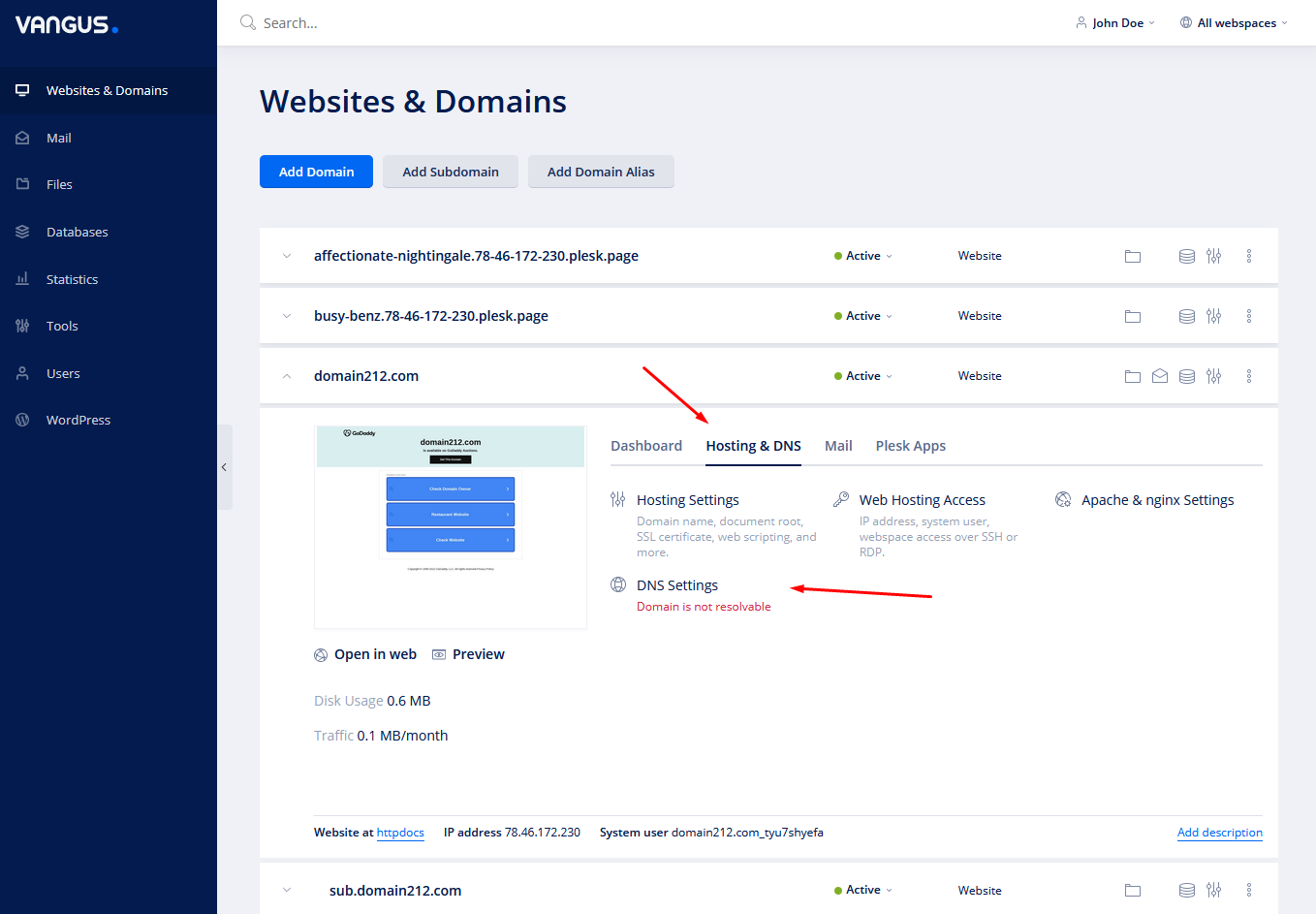
- Under your desired domain, click on Mail and Hosting & DNS
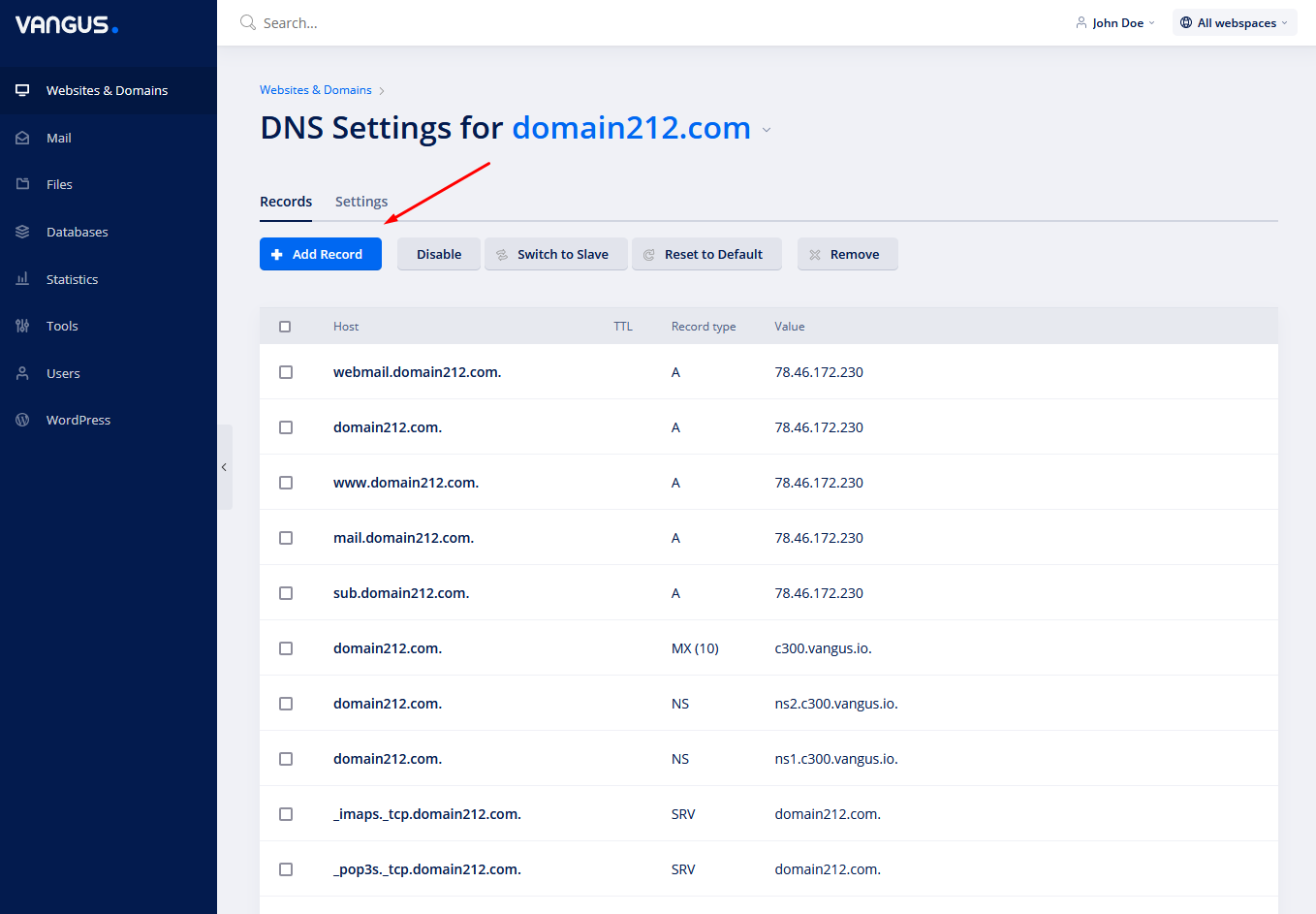
- Click on Add Record to add a new DNS record
– To remove a record, check the desired record and click on Remove.
– To edit a record, click on the desired record under Host column.
– To reset all the records to their default state, click on Reset to Default.
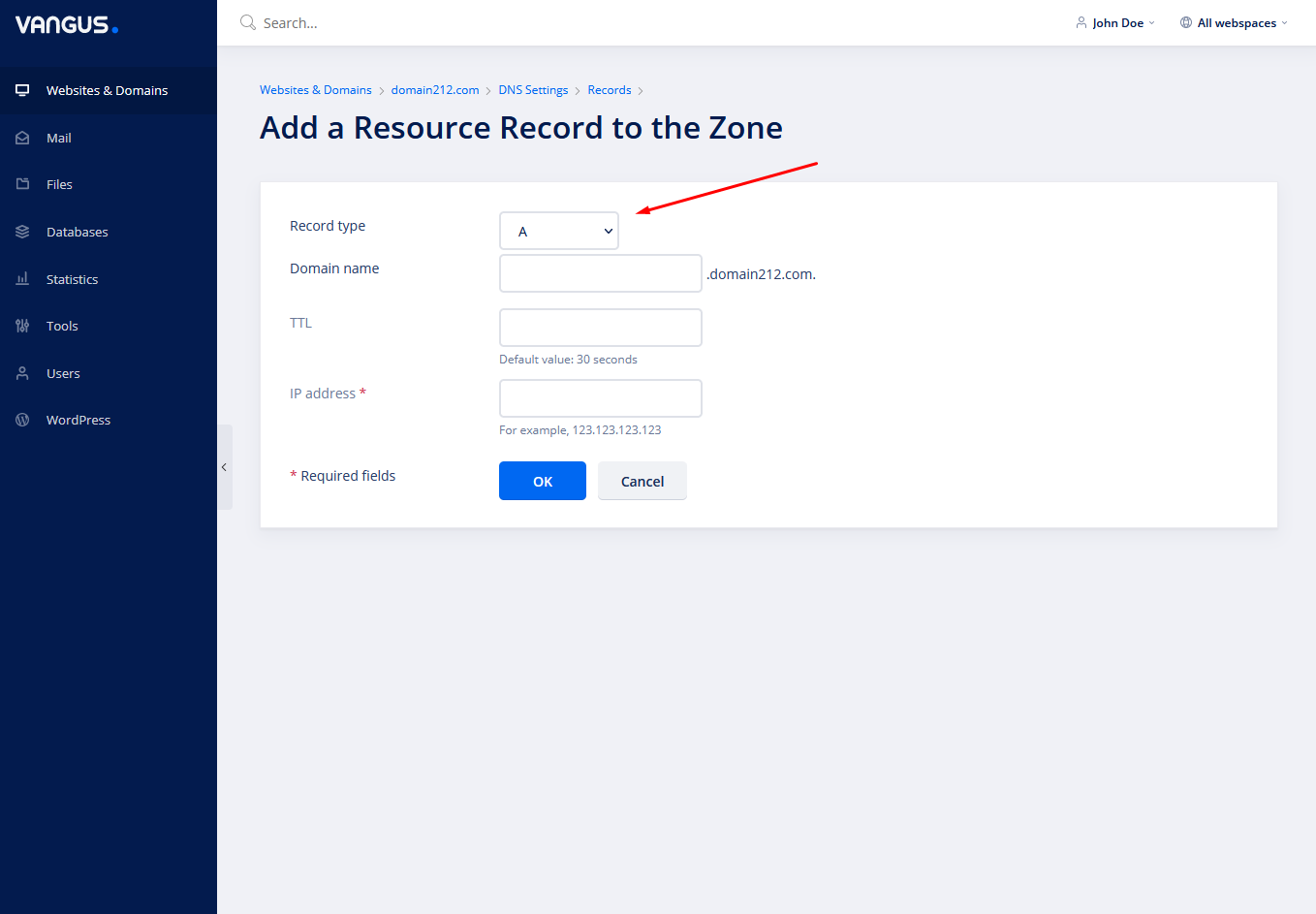
- Choose your desired DNS records from the drop down & fill the correct fields. When finished, click on OK