How add a new alias
- Login to your console https://console.vangus.ai
- Click on Manage
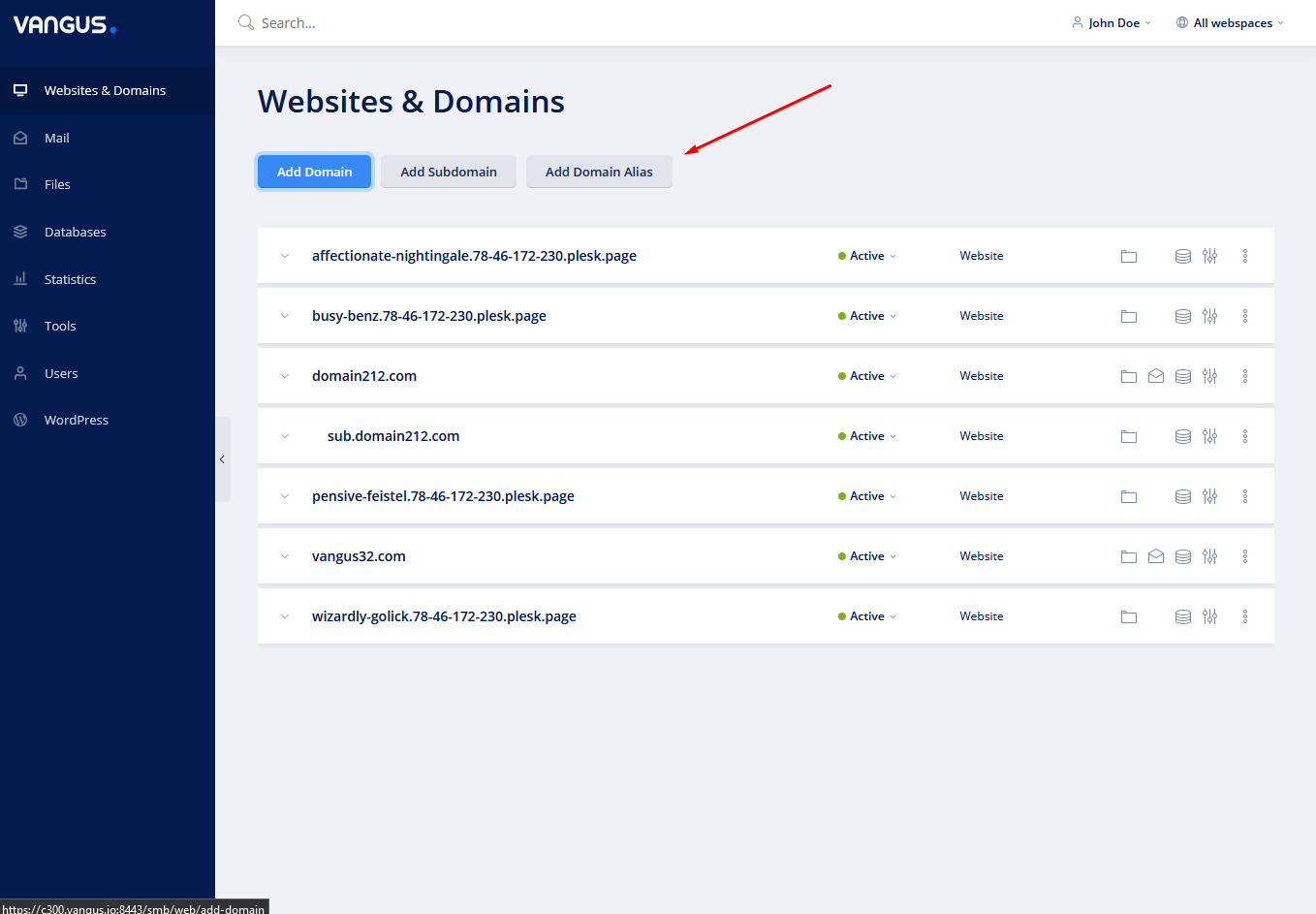
- Click on Add Domain Alias
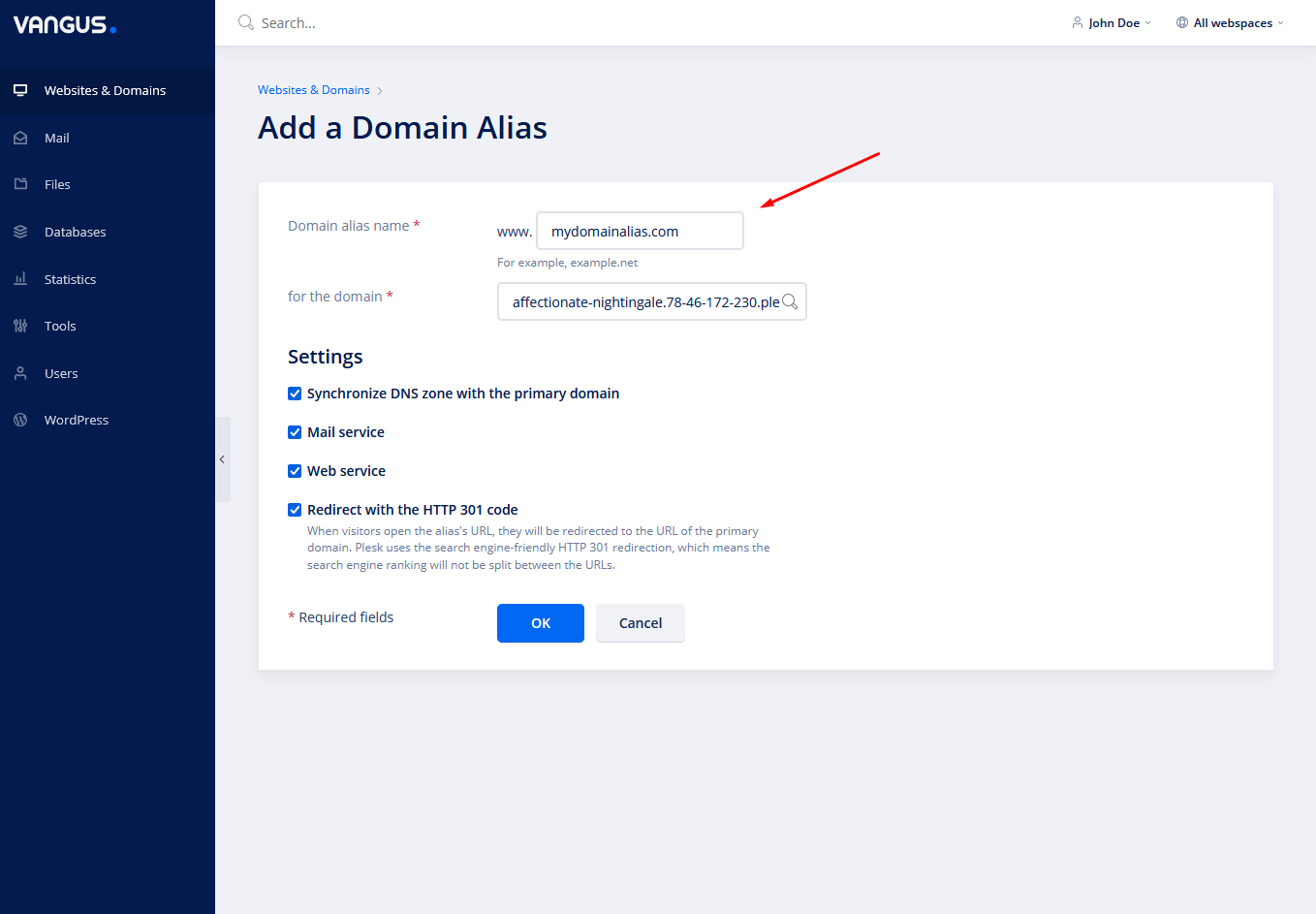
- In Domain alias name input write a domain name that is going to be the alias.

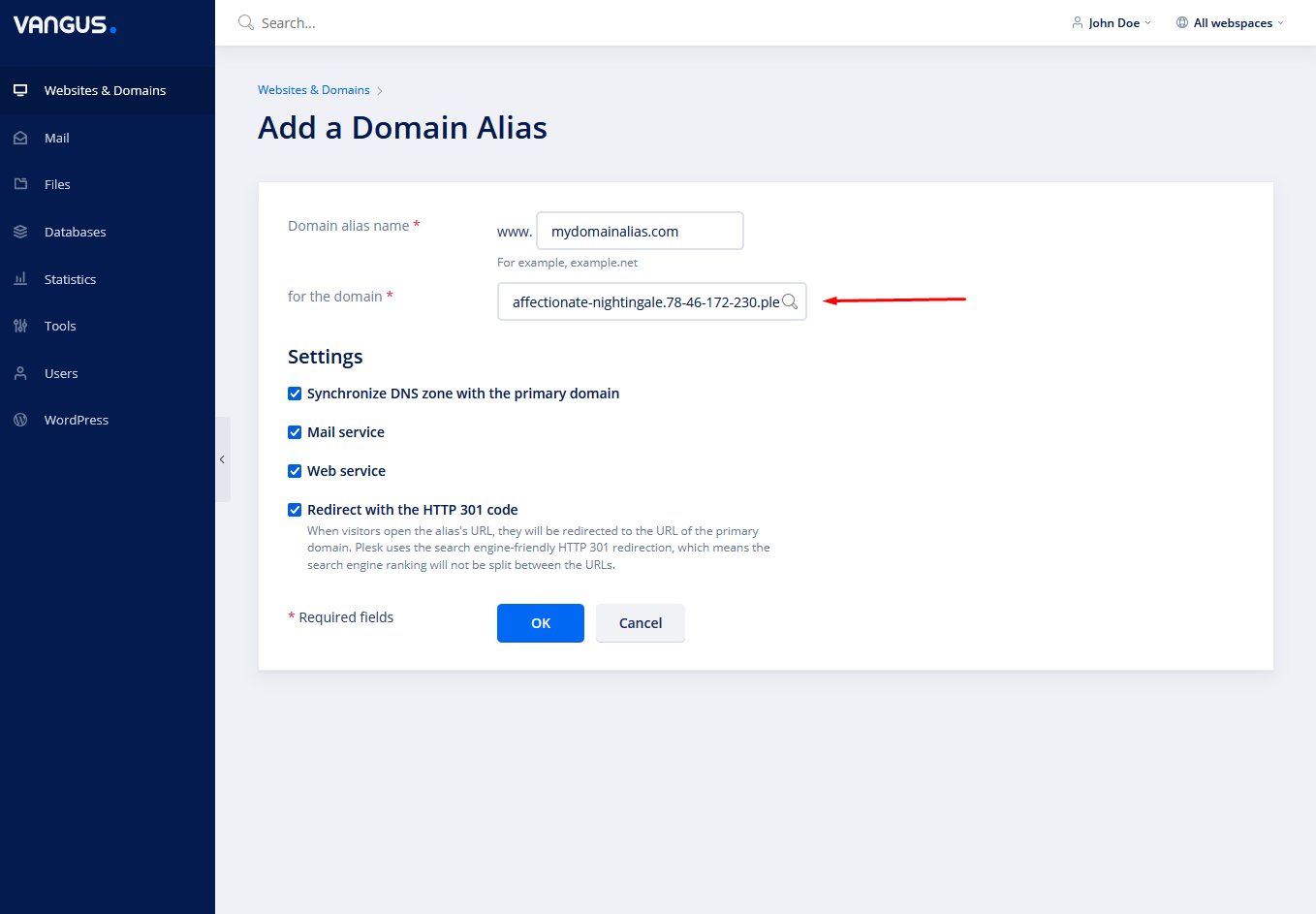
- In for the domain choose the domain name for which the alias is going to be redirected
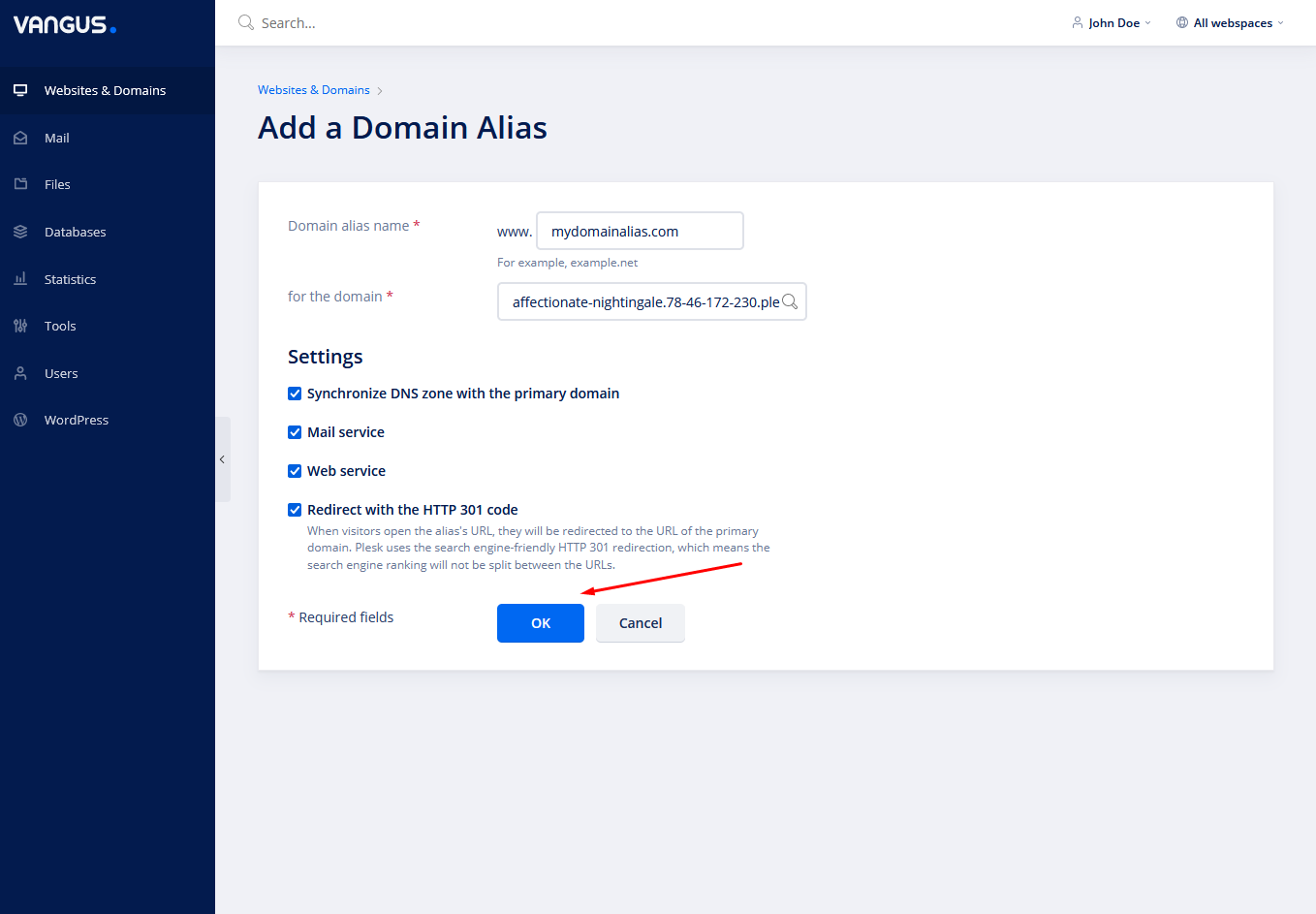
- Press OK
Note: The alias name should be pointed to your server IP with an A record or by changing to our Nameservers. Aliases require an SSL certificate to operate properly. So you should point it to your server, install an SSL certificate (How to issue SSL for an alias) and you’re done.