How to change a domain
- Login to your console https://console.vangus.ai
- Click on Manage
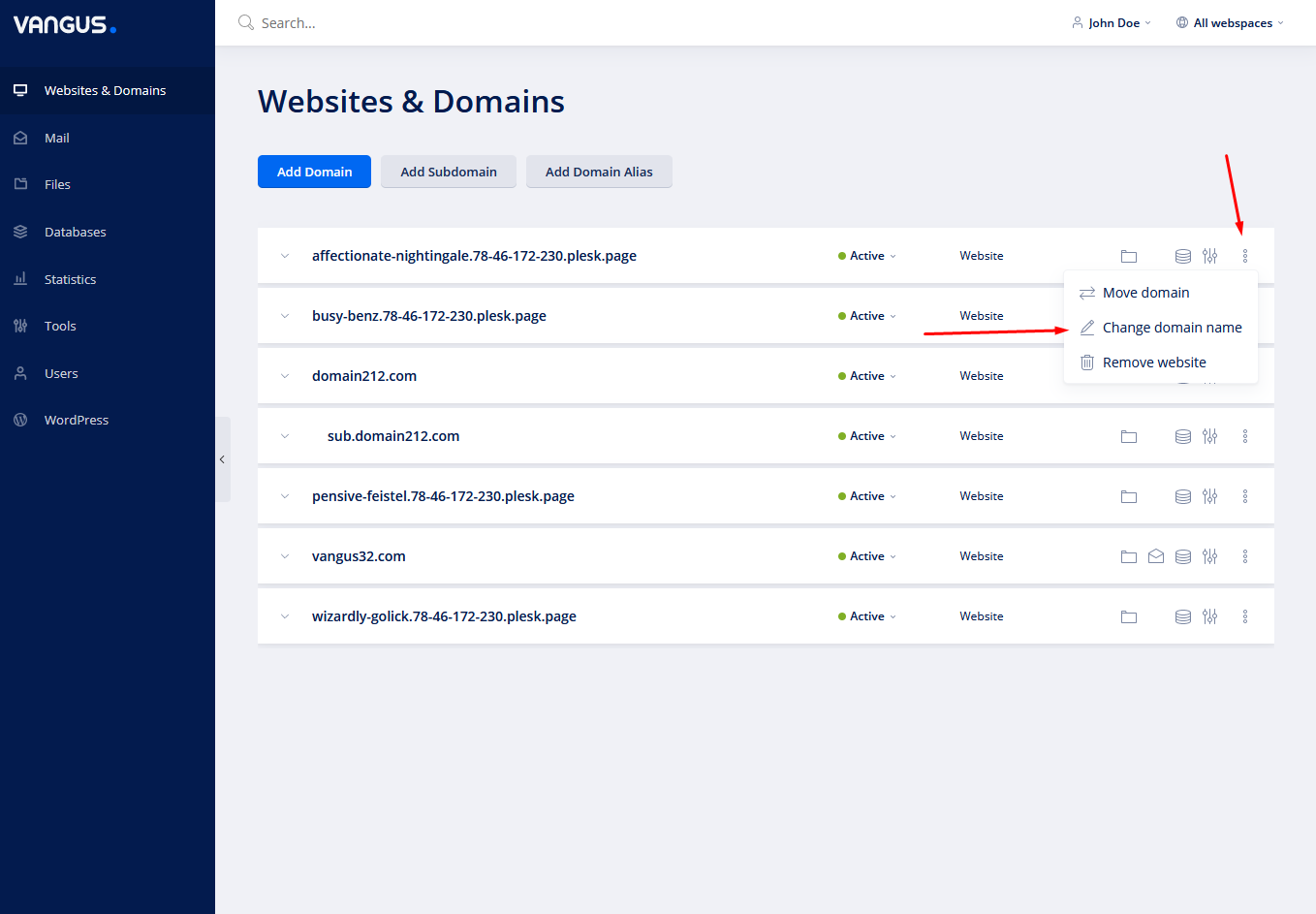
- On the right of your domain name, click on the three dots and choose Change domain name
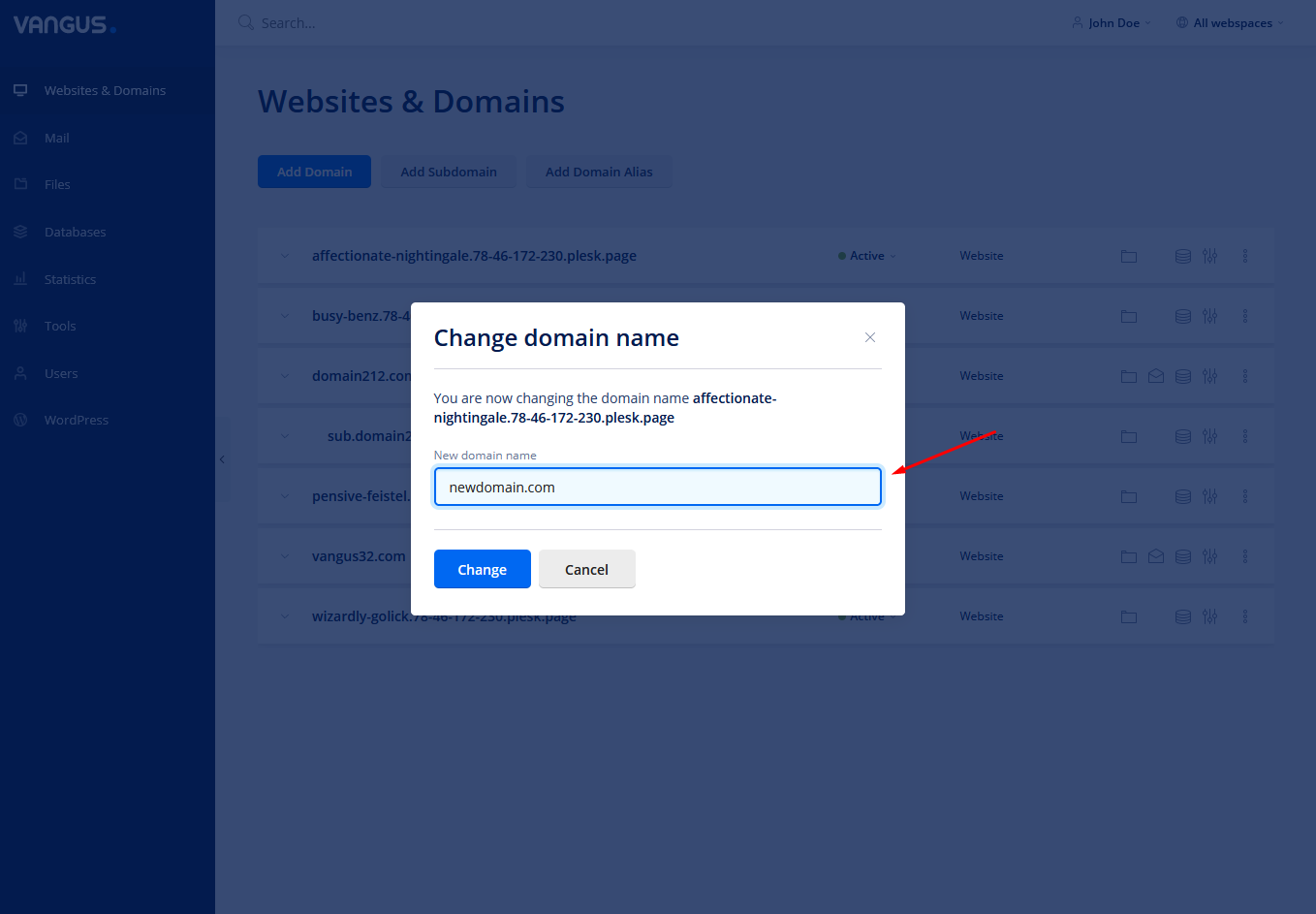
- In the input field under New domain name, write your new desired domain name
Note: Please write your domain without http:// https://.
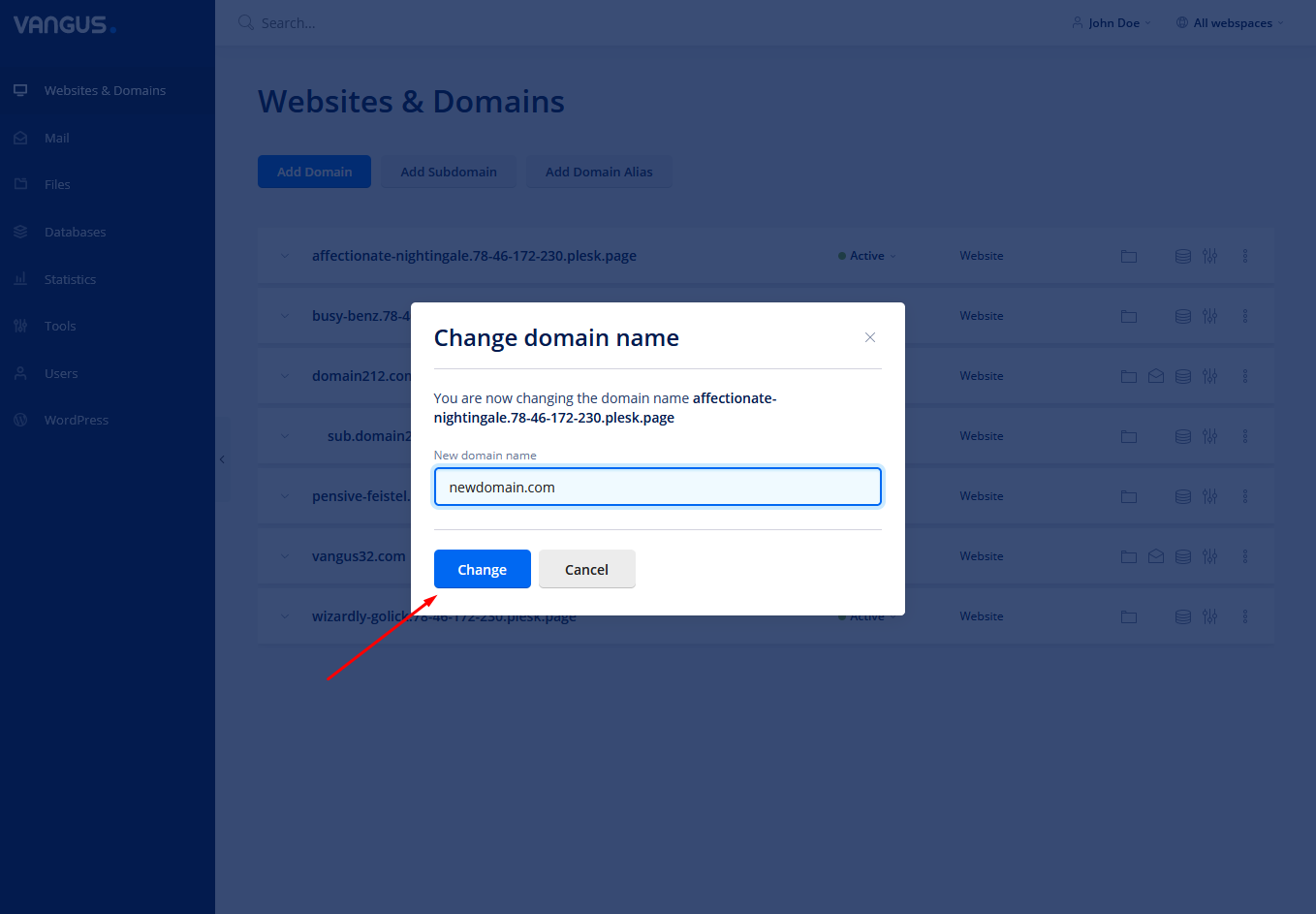
- Click Change
- PS: Don’t forget to reissue your SSL certificate in order to secure your new domain name.