How add a new sub domain
- Login to your console https://console.vangus.ai
- Click on Manage
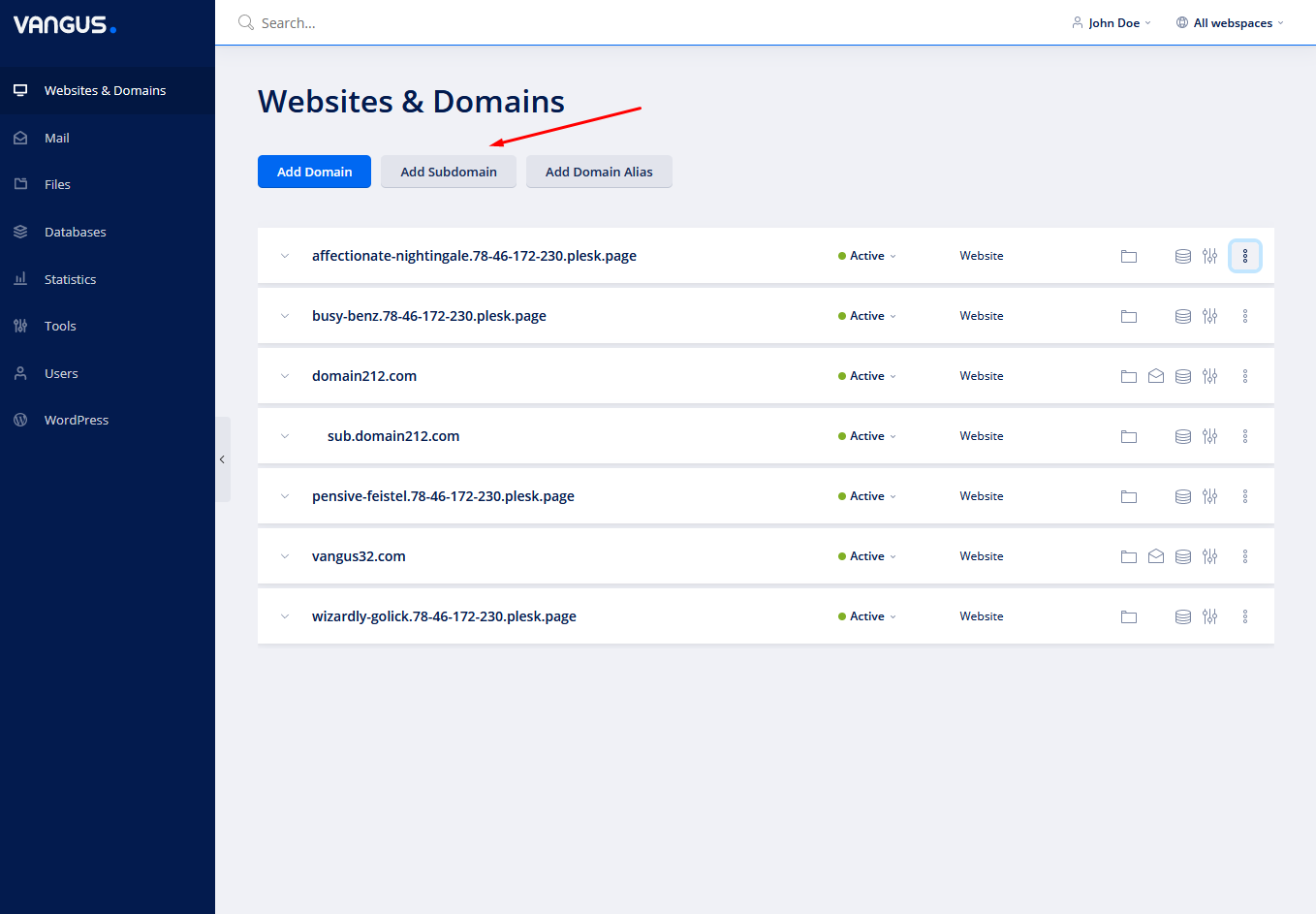
- Click on Add Subdomain
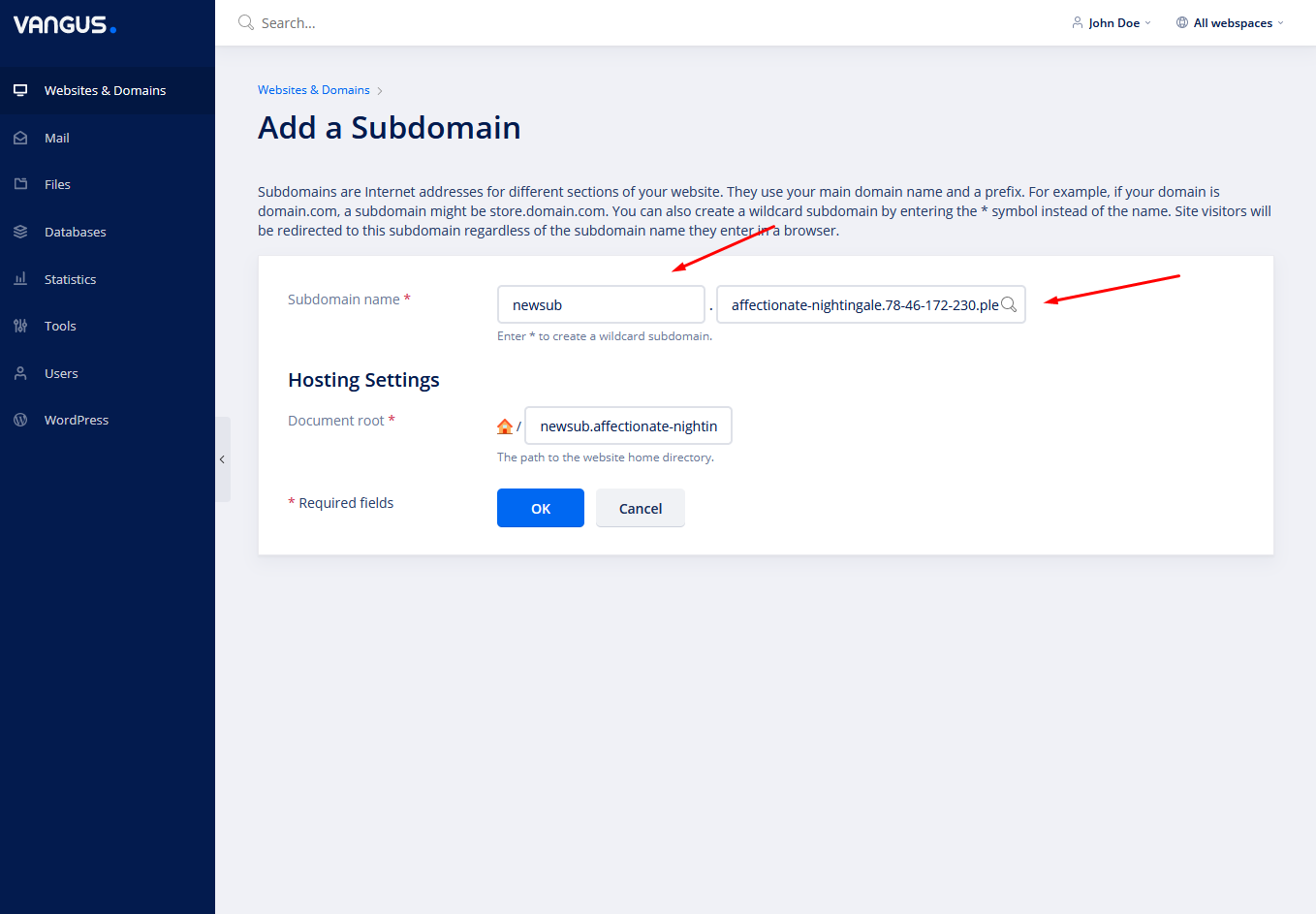
- On the left input box write your desired subdomain. On the right input box choose the domain under which the subdomain is going to be created.

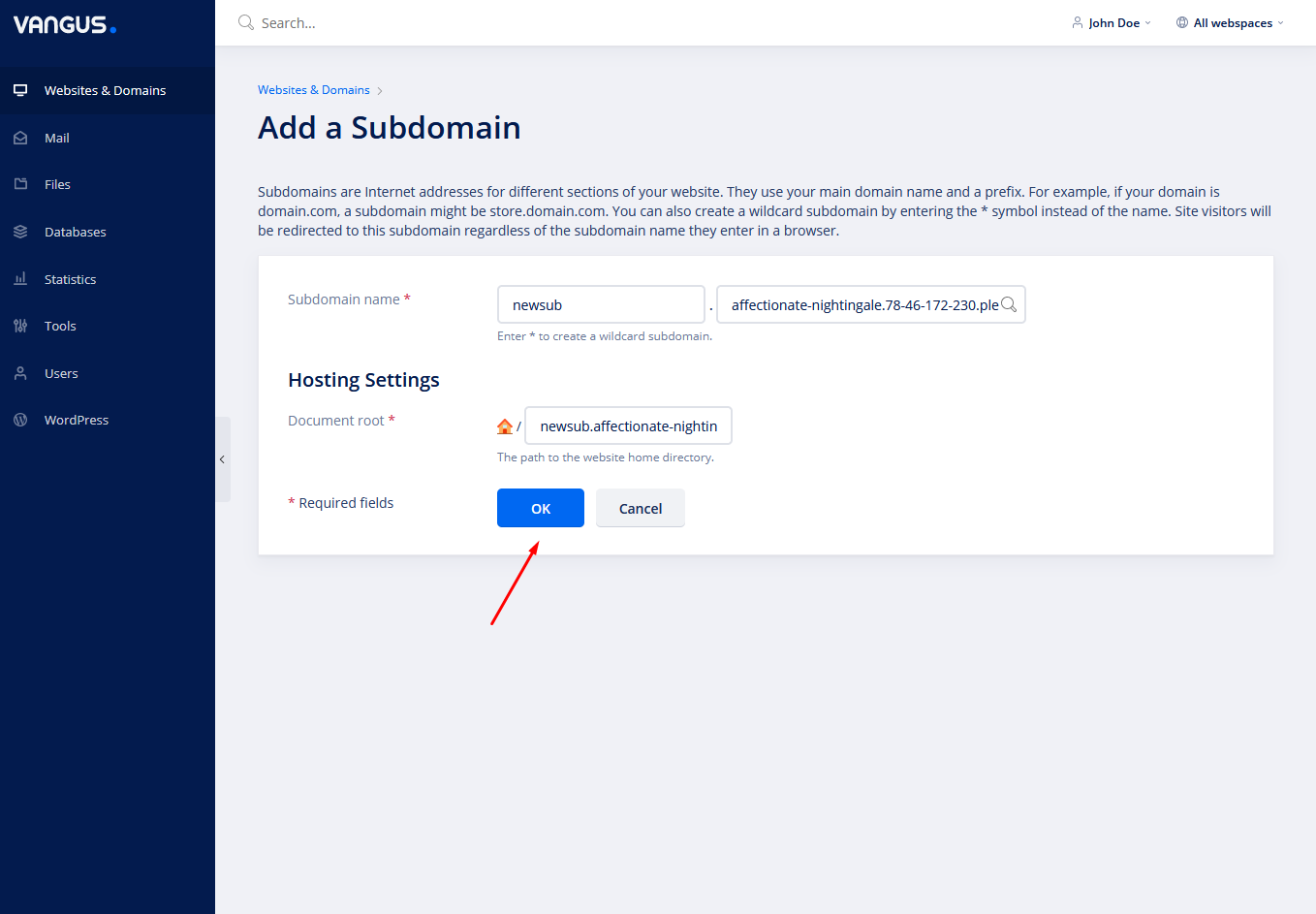
- Click OK on the bottom