How add a new domain
- Login to your console https://console.vangus.ai
- Click on Manage
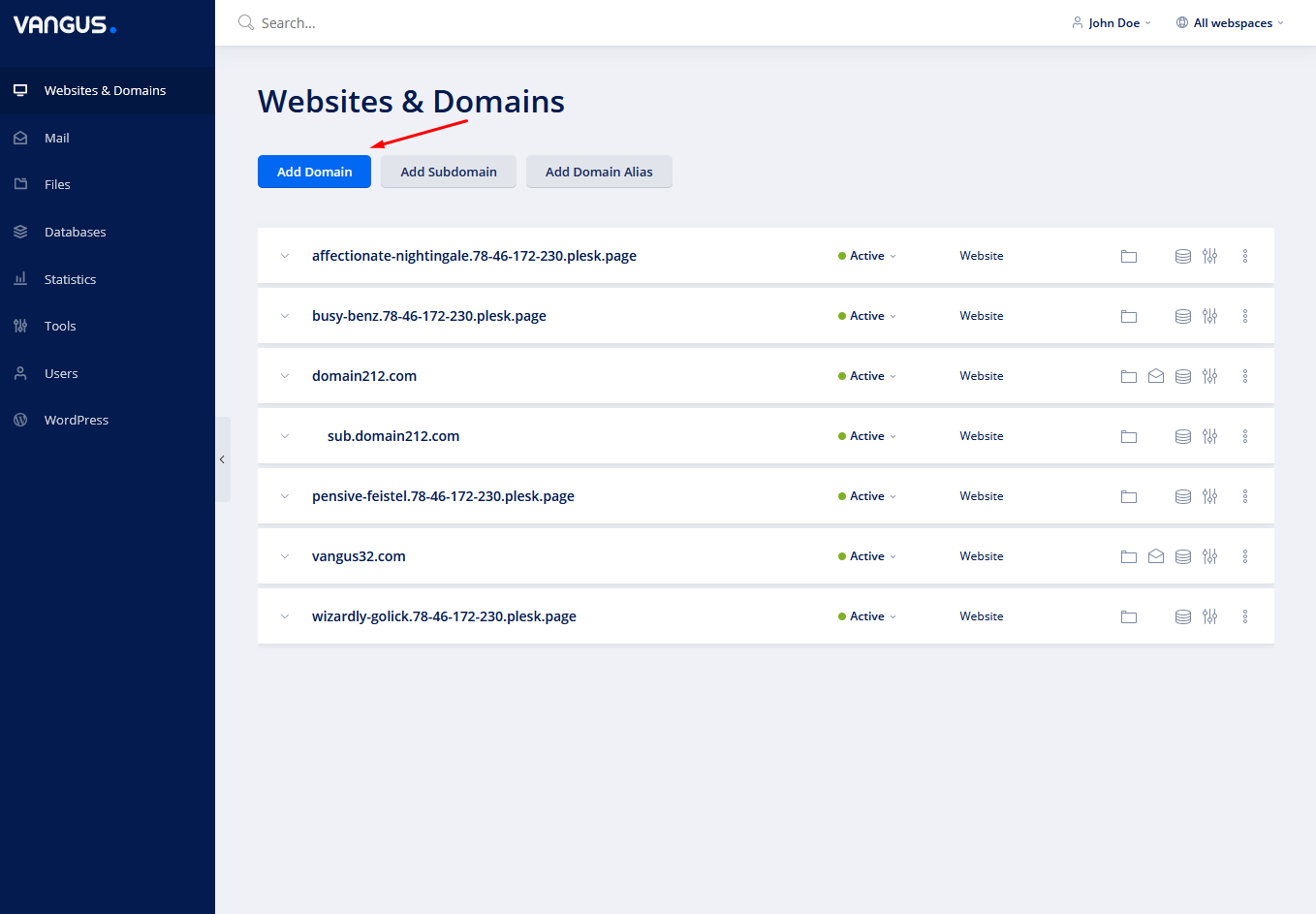
- Click on Add Domain
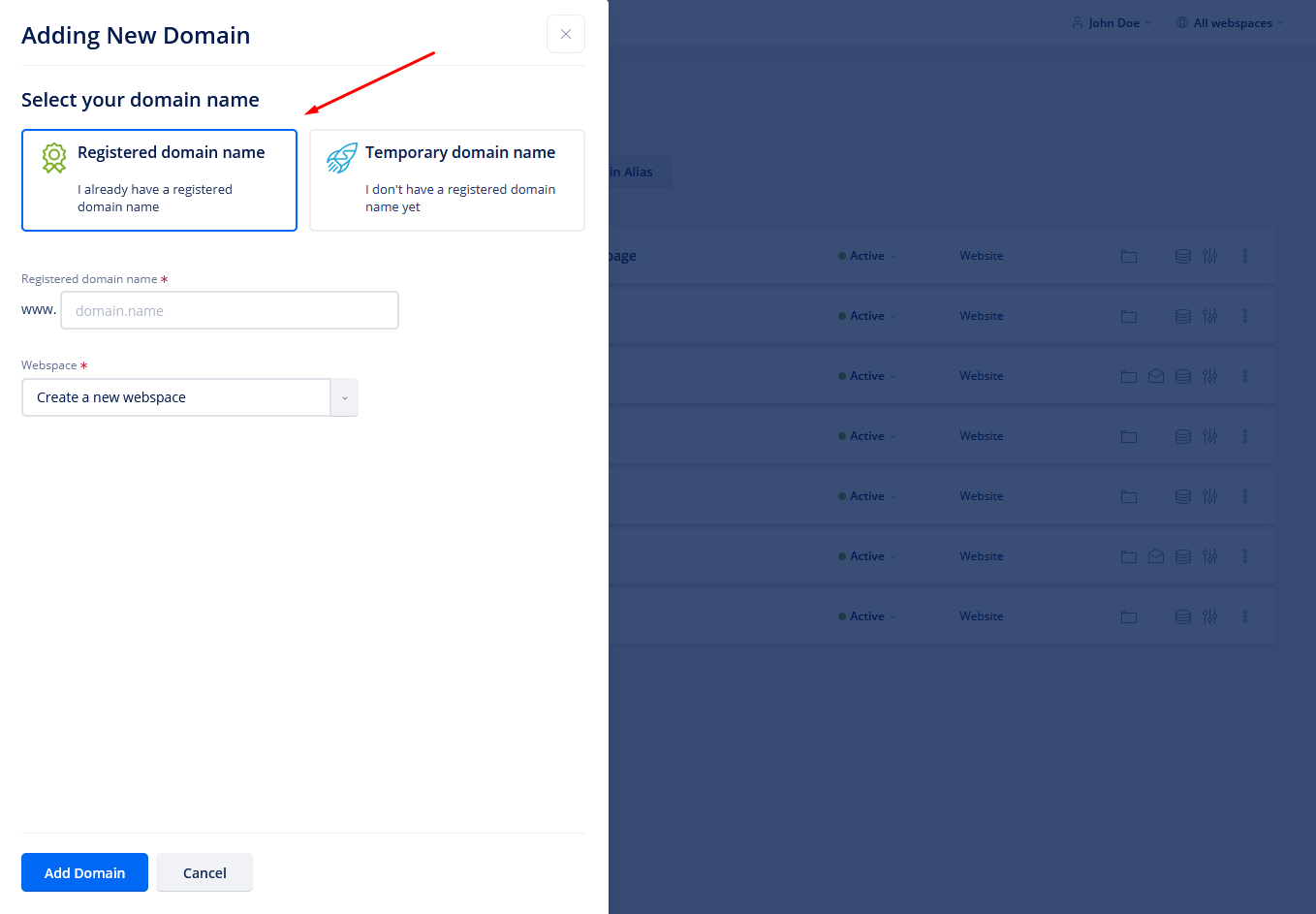
- Choose Registered domain name

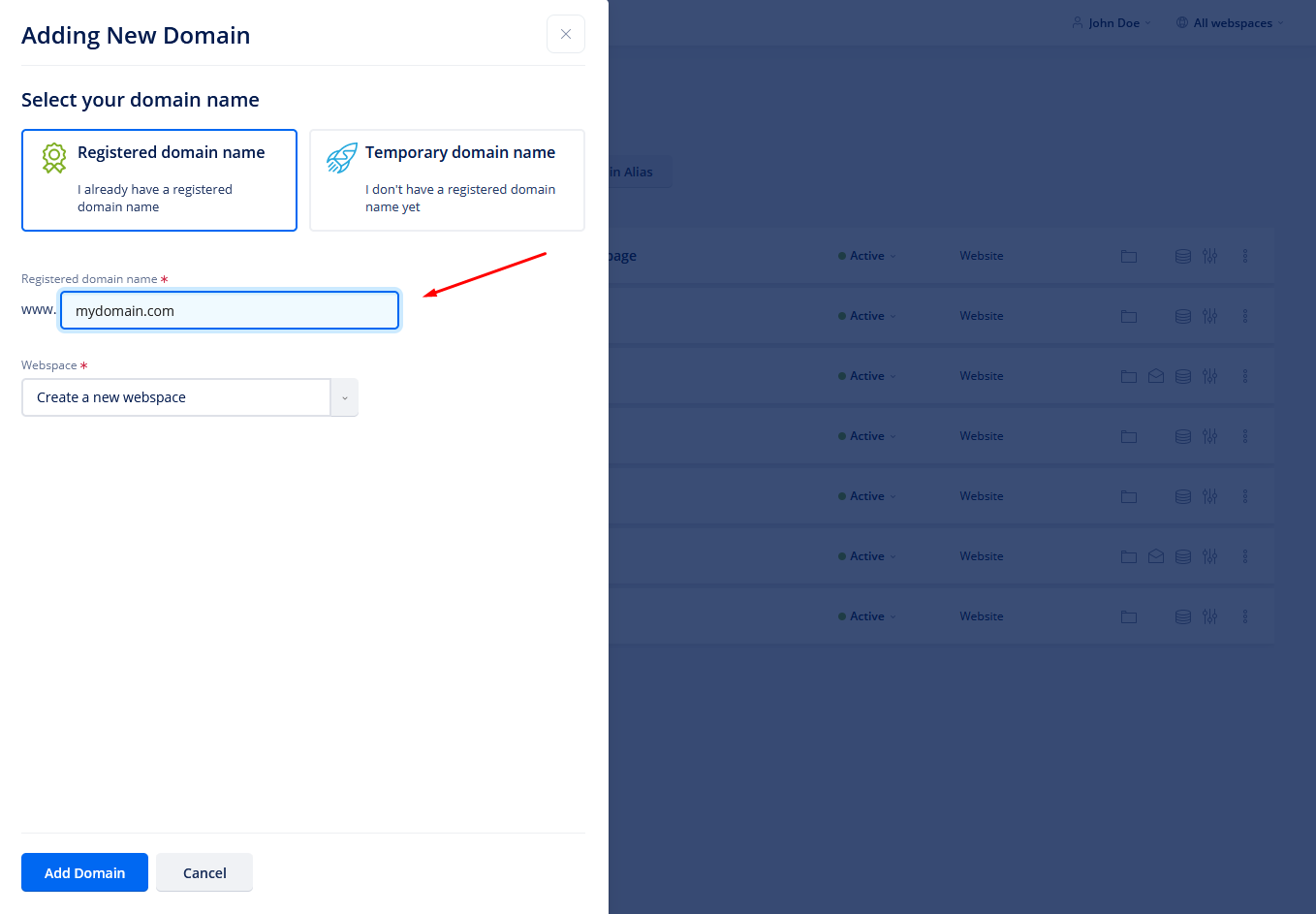
- Under Registered domain name write your domain name
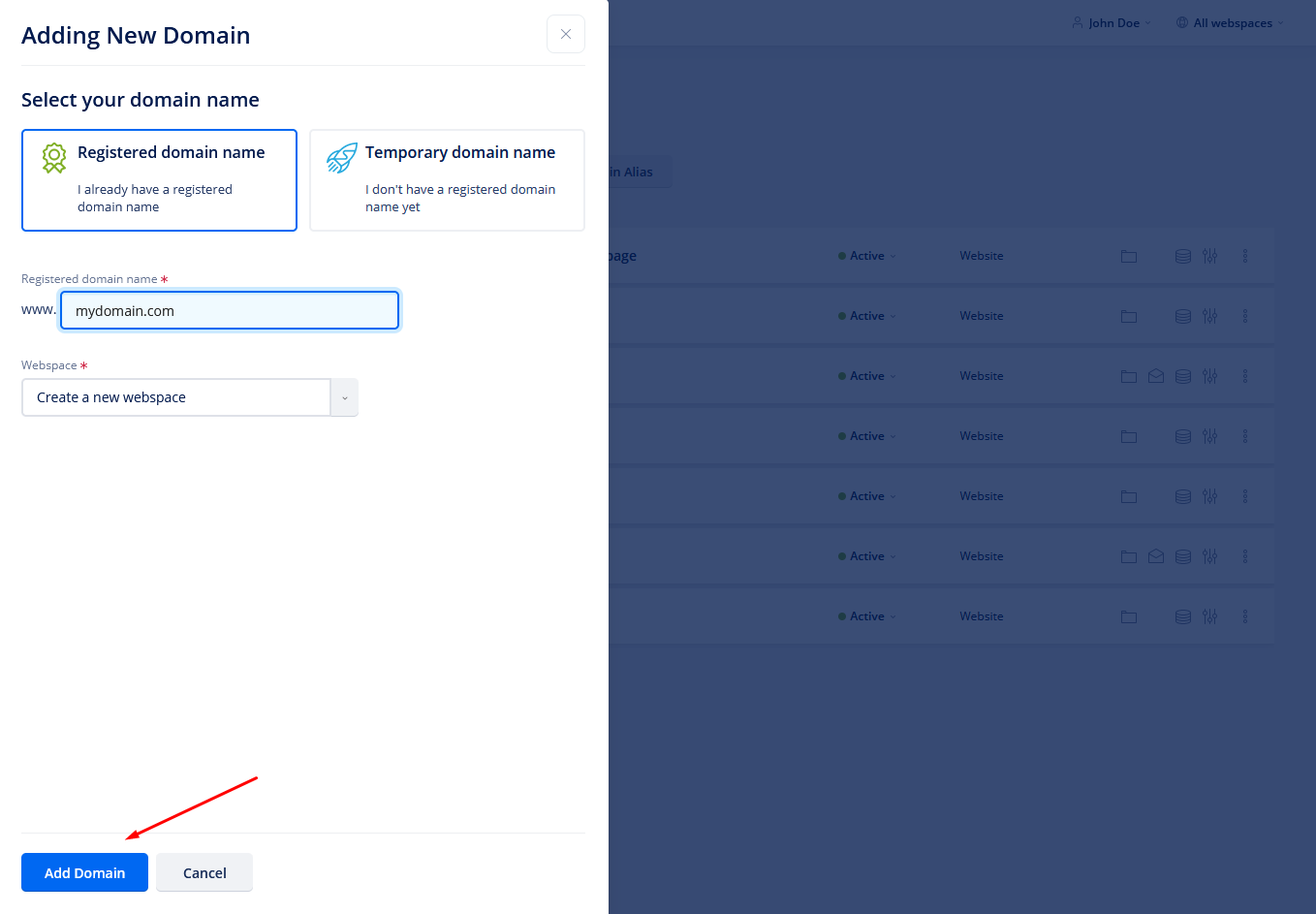
- At the bottom of the page click on Add Domain
- Now the system will add your domain name and try to install an SSL for you.
Note: The domain should be pointed to your server IP with an A record or by changing to our Nameservers. If its not pointed already, the SSL issue will fail and the domain is not going to work.