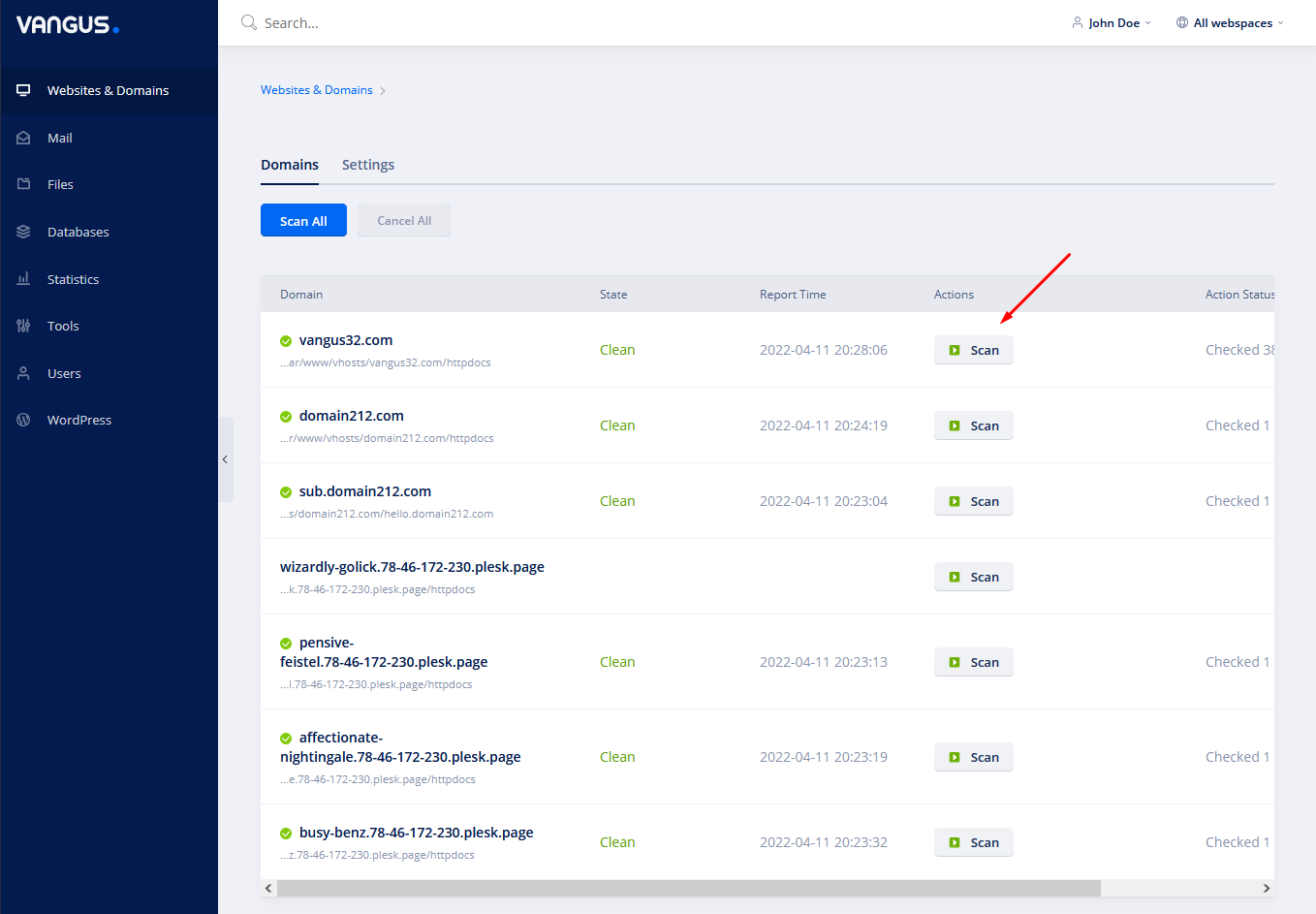
How to run a virus scan
- Login to your console https://console.vangus.ai
- Click on Manage
- On the left navigation bar click on Virus Scan
- On the desired domain click on the Scan button. If the system finds and malicious files, you’ll have an option to 1-click remove them.