How to delete a domain / subdomain / alias
- Login to your console https://console.vangus.ai
- Click on Manage
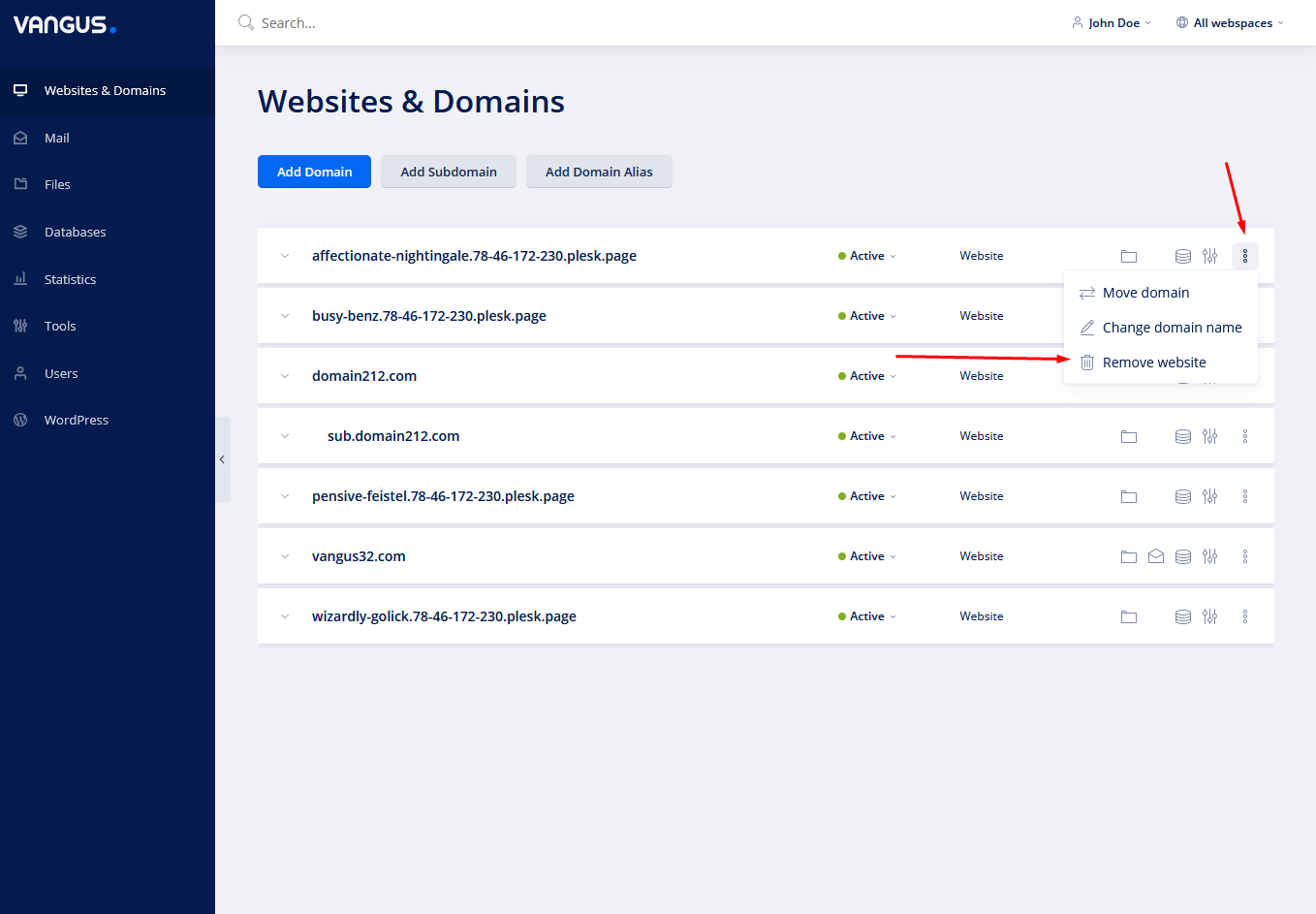
- On the right of your domain / subdomain / alias name, click on the three dots and choose Remove website
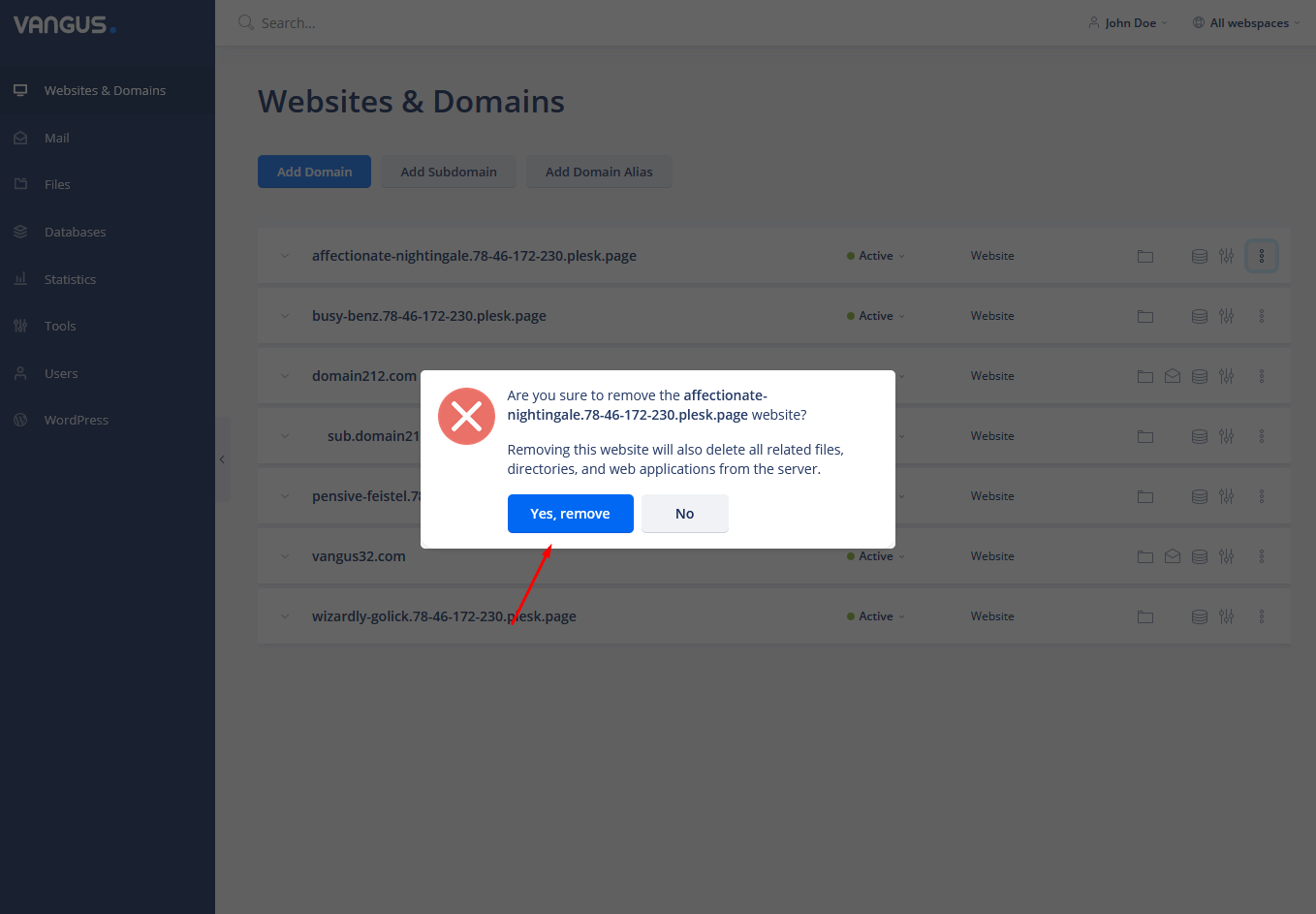
- Click on Yes, remove

Note: You can restore your asset back if you add it back and there’s a backup available in Backup & Restore