How to install free SSL
- Login to your console https://console.vangus.ai
- Click on Manage
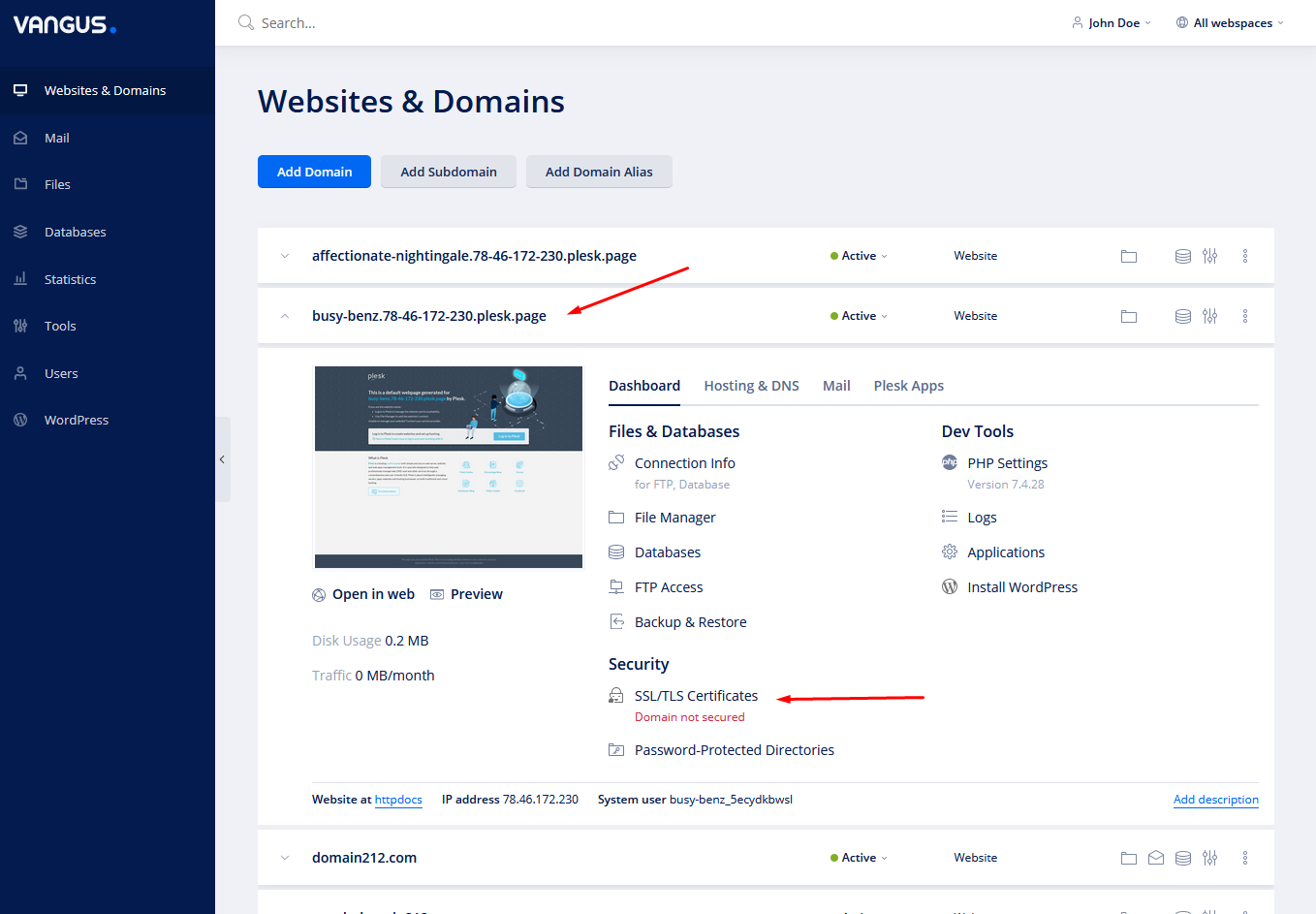
- Under the desired domain name click on SSL/TLS Certificates
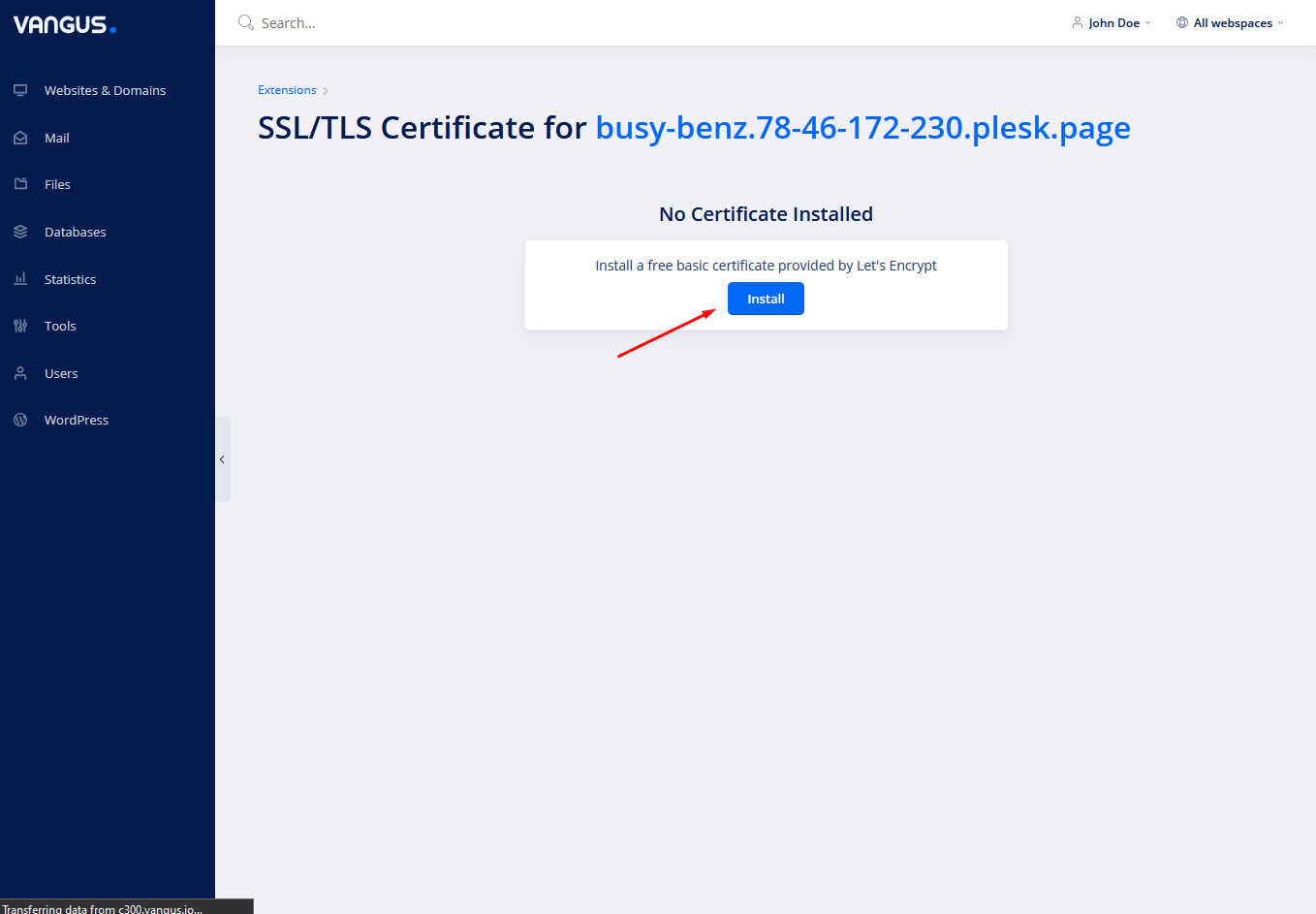
- Click on Install

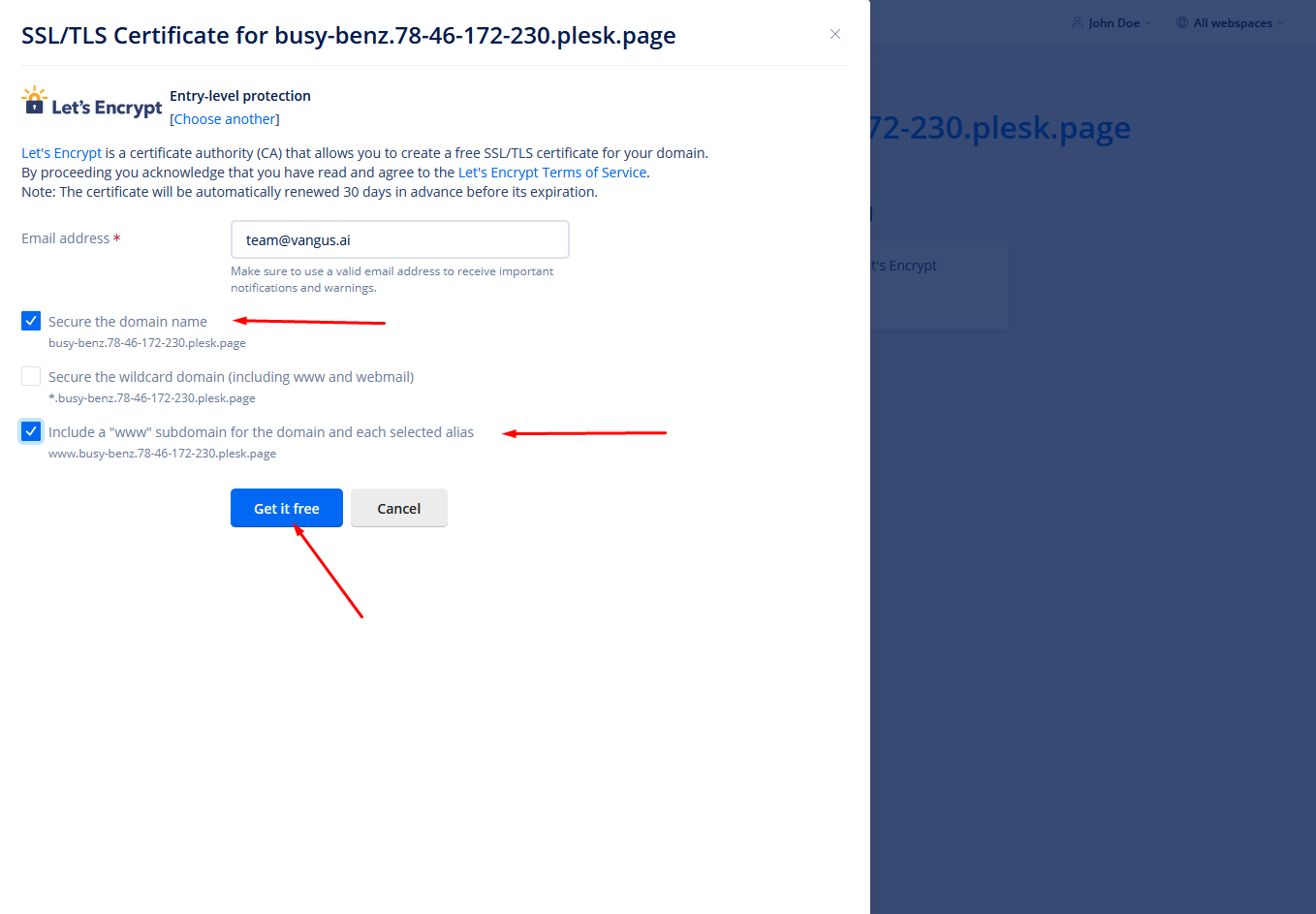
- Choose Secure the domain name & Include a “www” subdomain for the domain and each selected alias and click on Get it free
- Wait for the SSL to finish installation.
- PS: The domain name supposed to be pointed to our servers before installing the SSL Certificate. In case you didn’t point it, the installation will fail.