How to configure an auto reply
- Login to your console https://console.vangus.ai
- Click on Manage
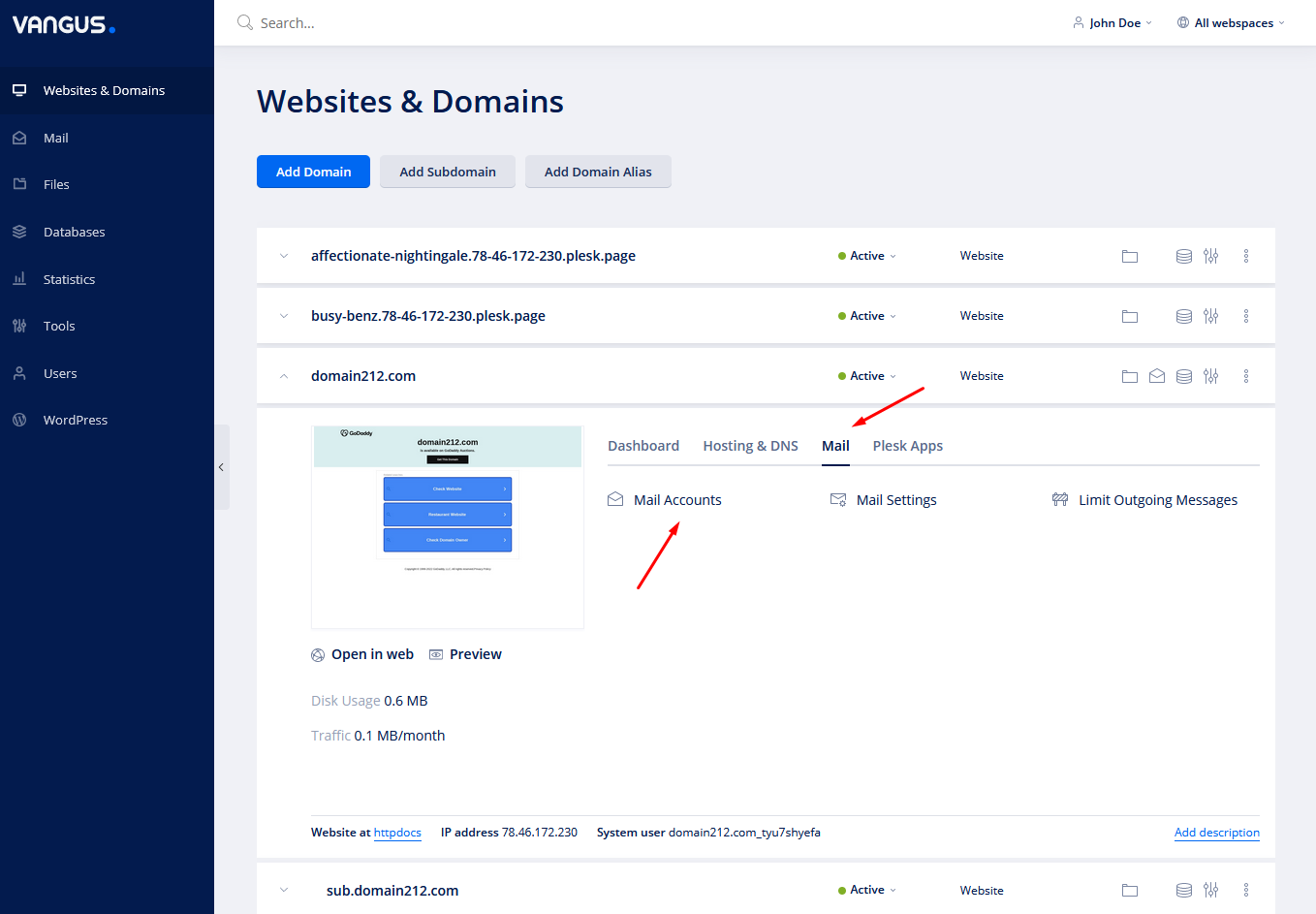
- Under your desired domain, click on Mail and Mail Accounts
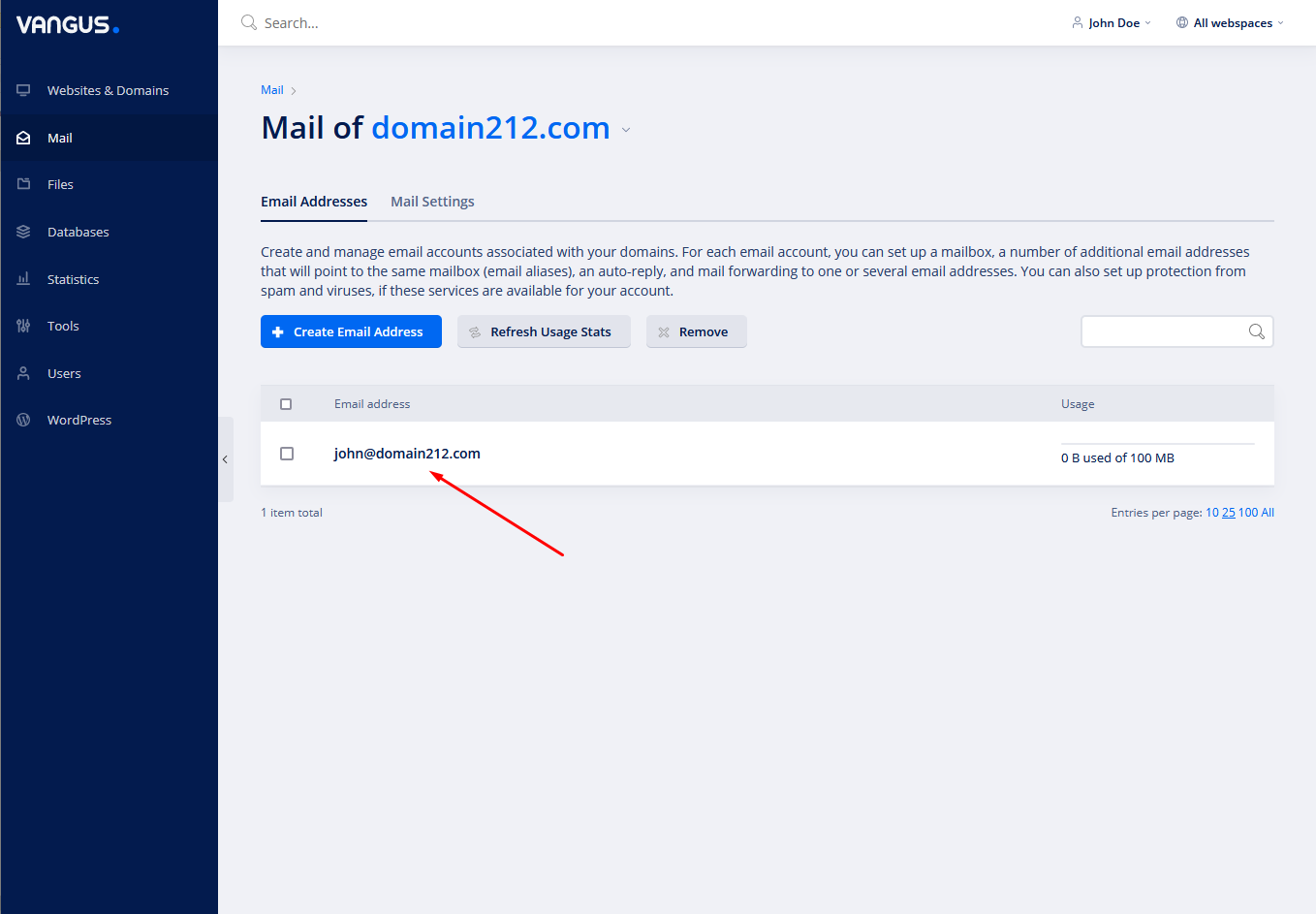
- Click on your desired email address

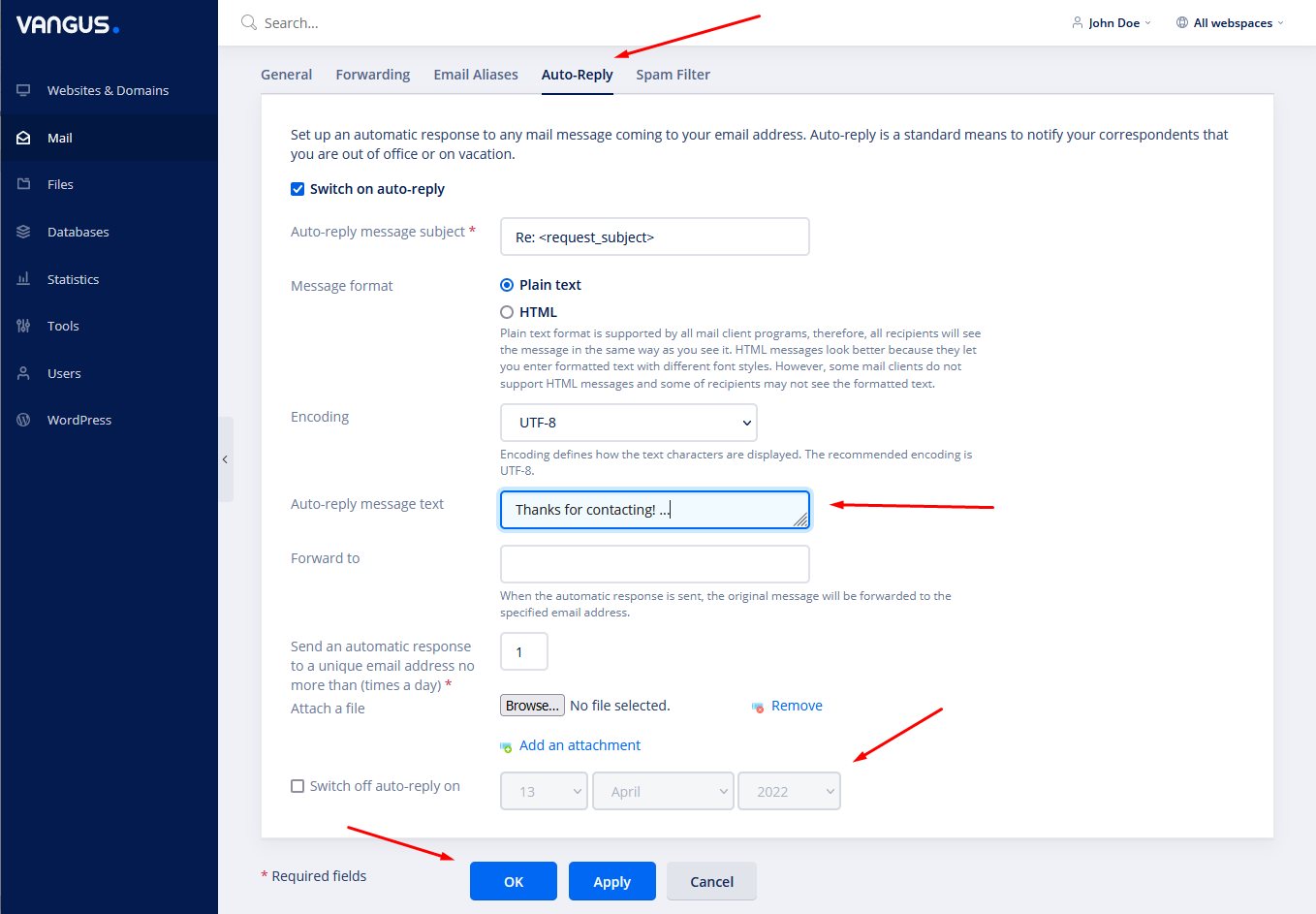
- Move to Auto-Reply, configure your preferable options and click OK to save.