How to check wordpress vulnerabilities
- Login to your console https://console.vangus.ai
- Click on Manage
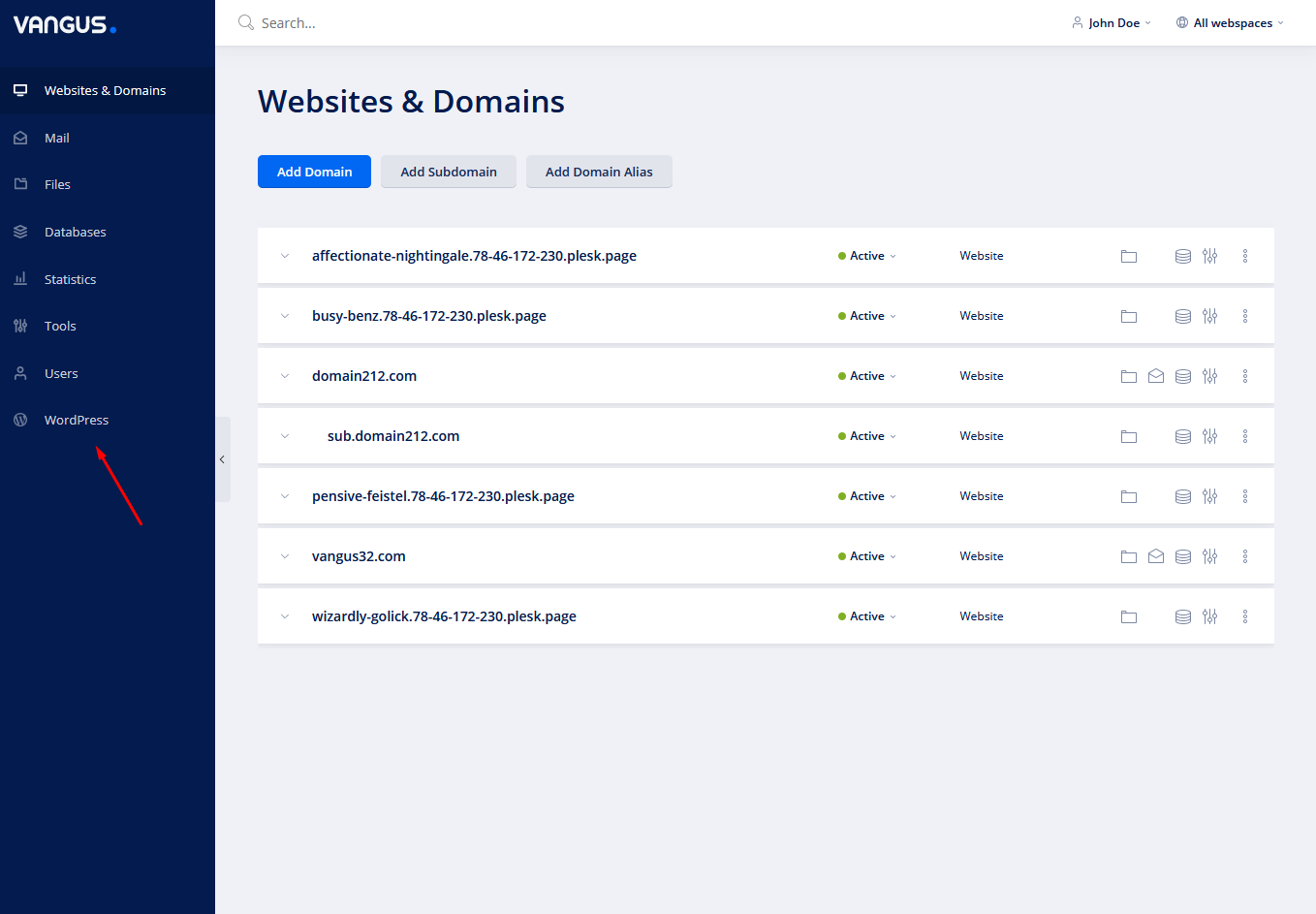
- Click on WordPress
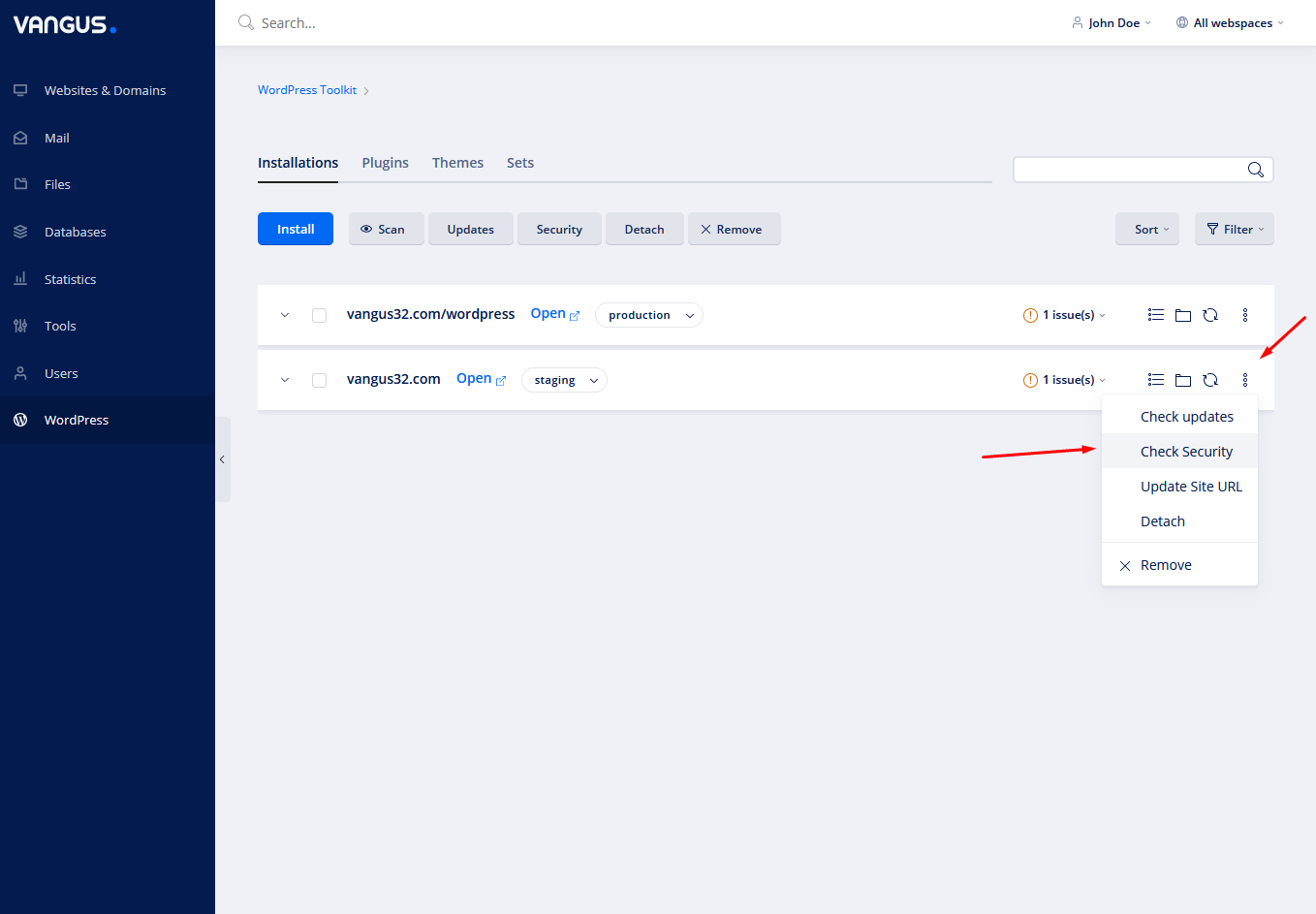
- Click on the 3 dots on the right side of your desired wordpress instance & choose Check Security

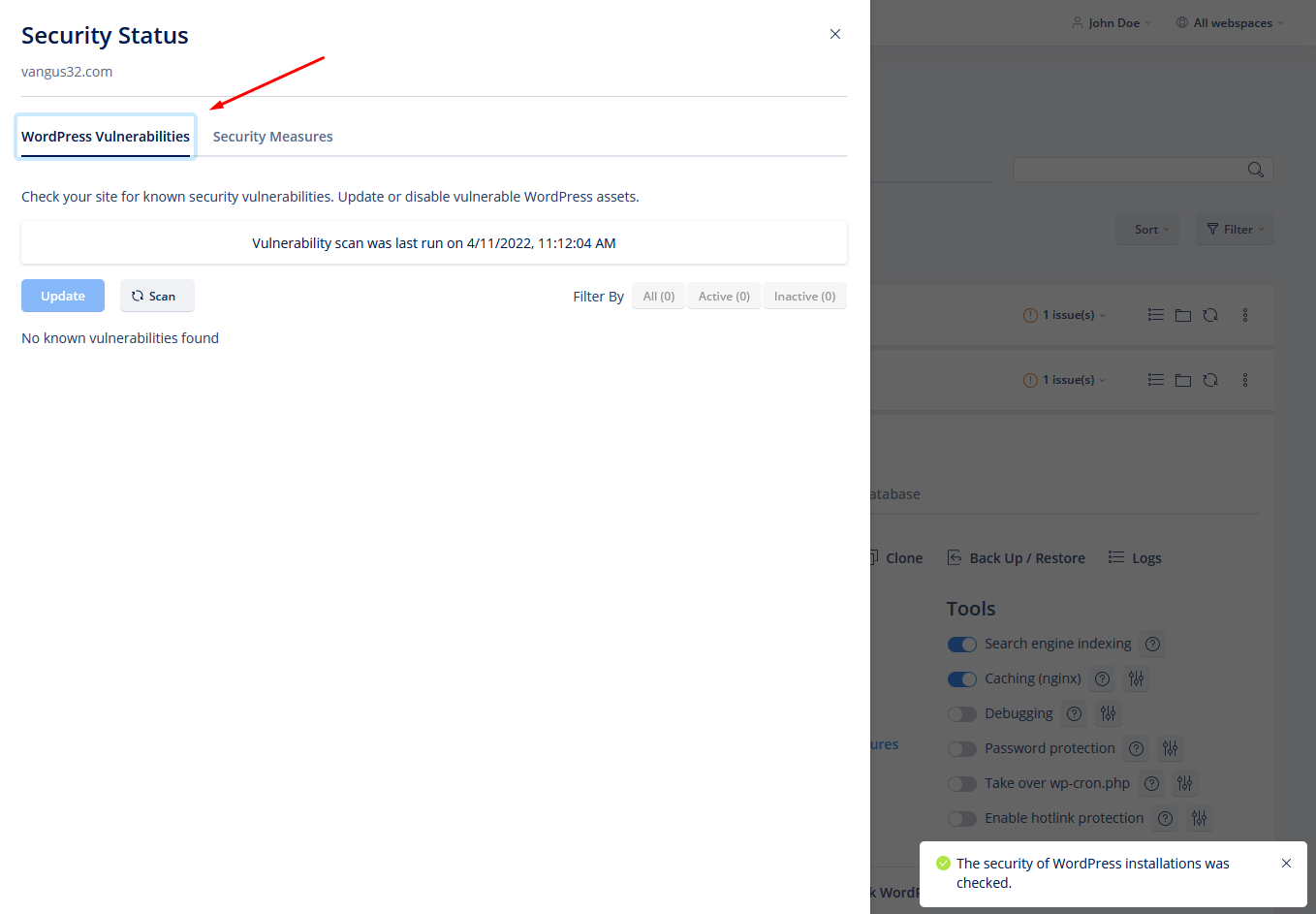
- Move to WordPress Vulnerabilities tab to check and fix any vulnerabilities