How to calculate file / folder sizes
- Login to your console https://console.vangus.ai
- Click on Manage
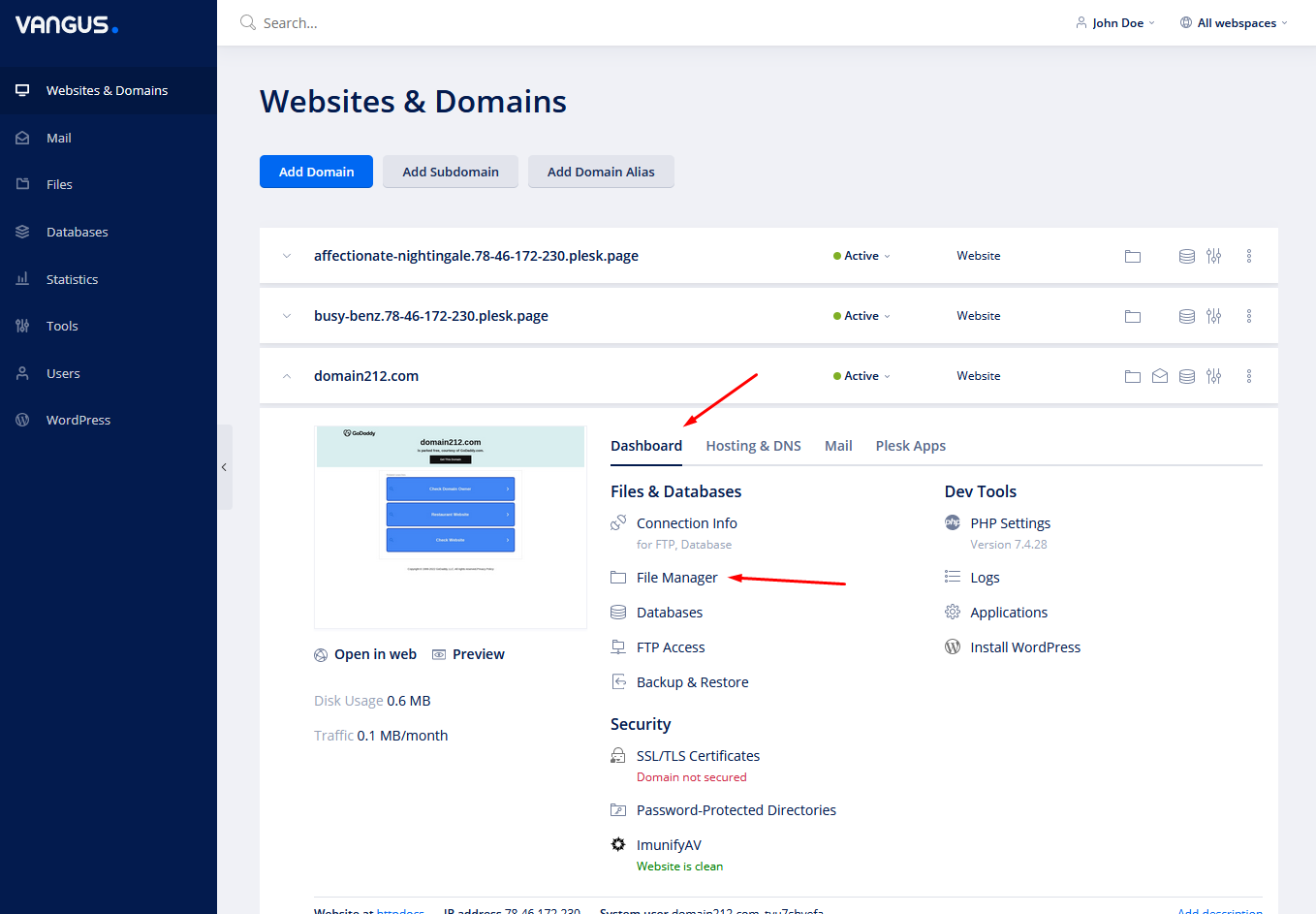
- Under your desired domain, click on Dashboard and File Manager
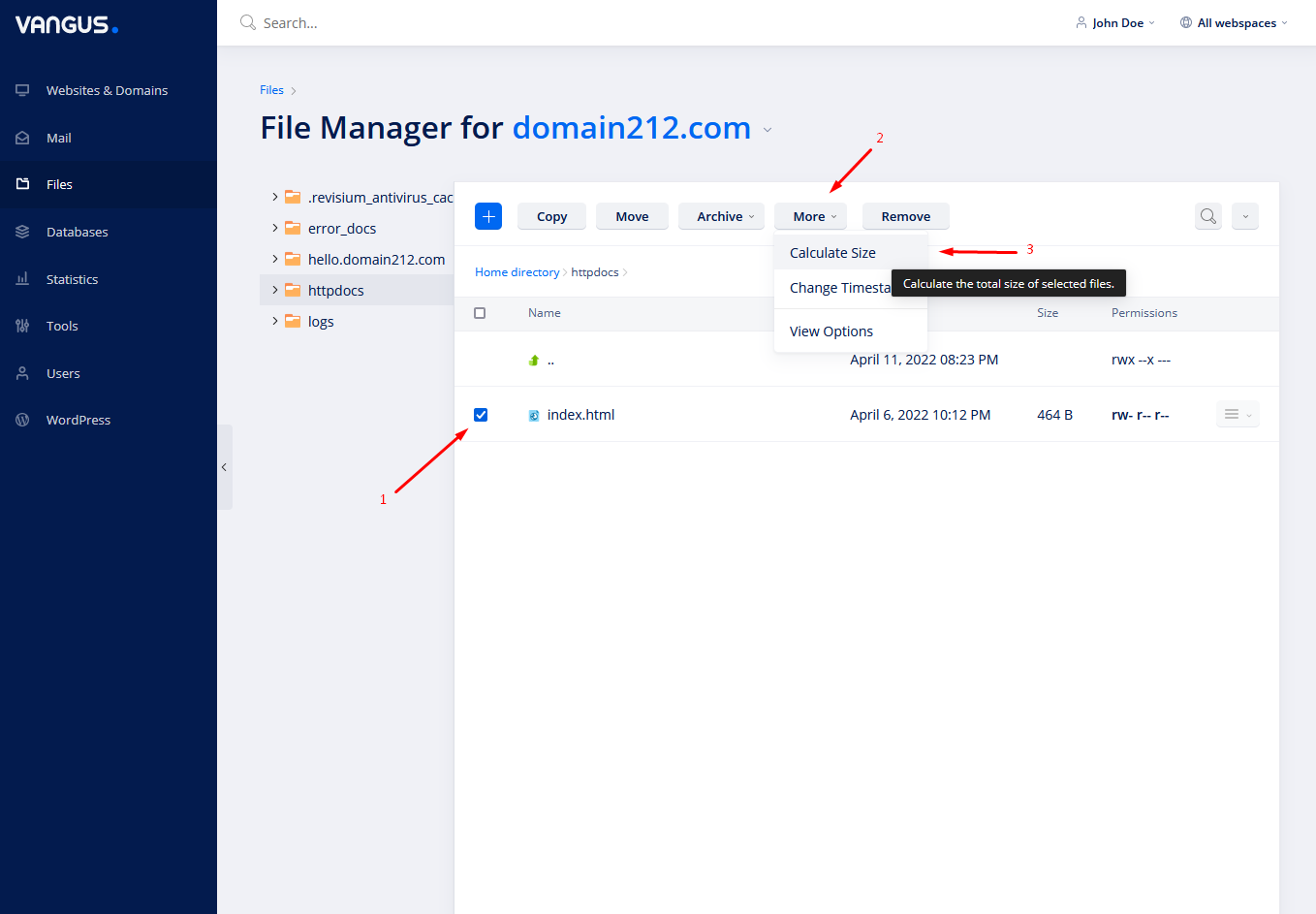
- Select files/folders, click on More and choose Calculate Size

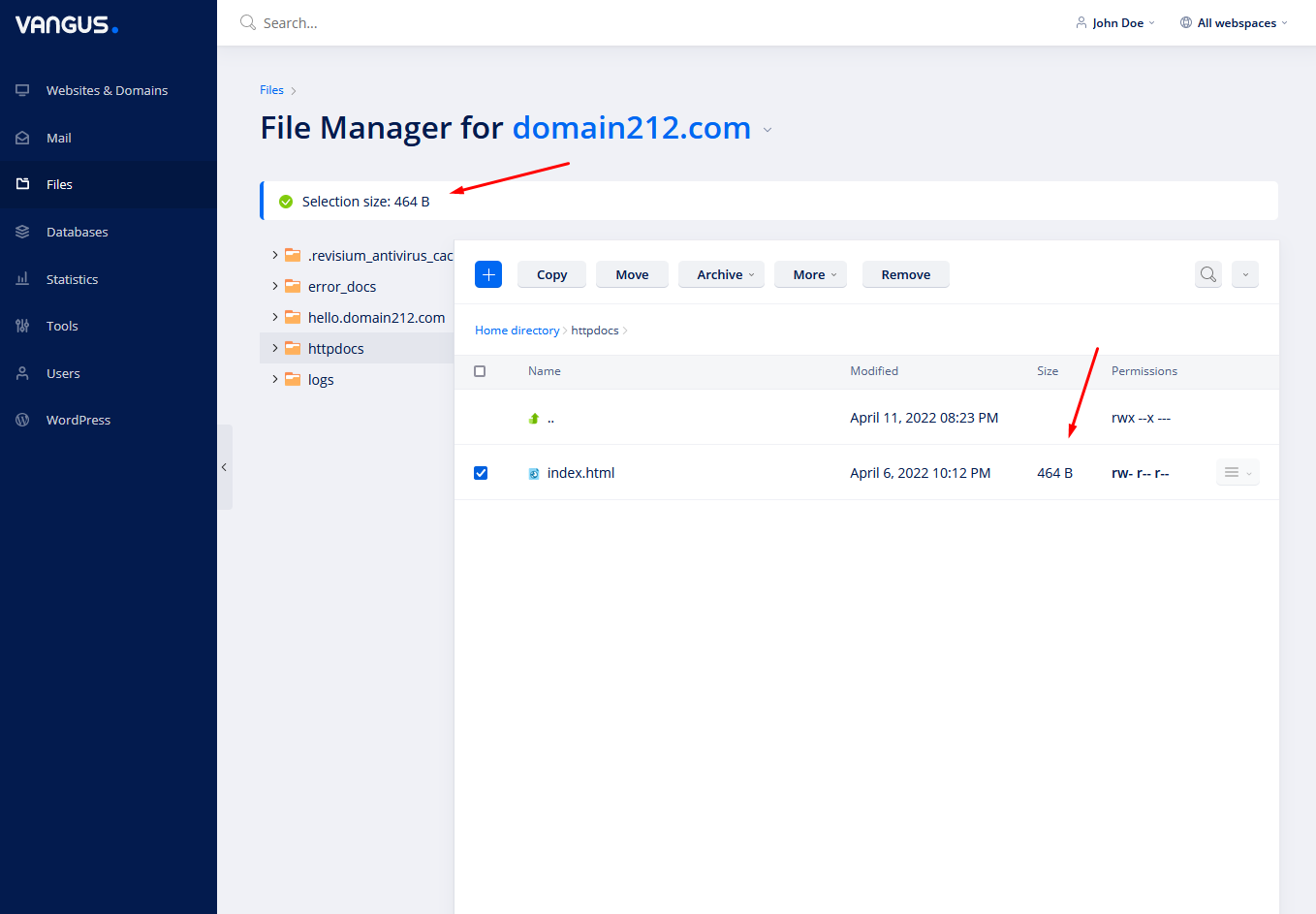
- Here you can see the total size of the files you’ve selected. Furthermore, all file sizes will be shown down below in the file manager.